
Change Sets
Purpose
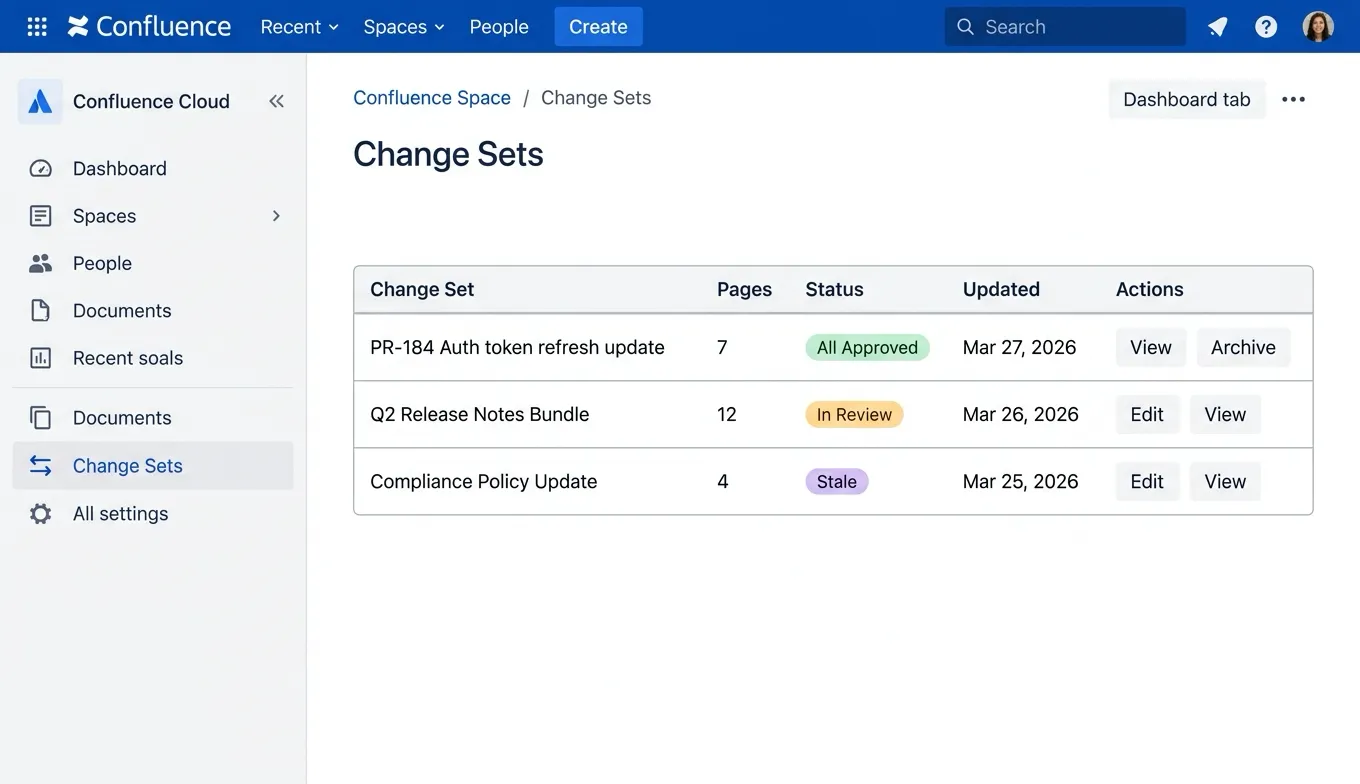
Section titled “Purpose”Change Sets let you group related Confluence page changes into a single review bundle with shared context. They are designed for workflows where multiple pages change together — for example, when a documentation update spans several pages due to a product release, API change, or compliance update.
Key Concepts
Section titled “Key Concepts”What Is a Change Set?
Section titled “What Is a Change Set?”A change set is a named group of page references within a single space. Each change set includes:
- Title — A short name for the change (e.g., “PR-184 Authentication docs update”).
- Summary — A description of why these pages changed together.
- Reference URL — An optional link to an external source such as a GitHub pull request, Jira issue, or release ticket.
- Page references — The list of Confluence pages included in the change set.
Rollup State
Section titled “Rollup State”Every change set has a computed rollup state based on the approval status of its pages:
| State | Meaning |
|---|---|
open | Change set created, no pages submitted for approval yet. |
in_review | One or more pages are pending approval. |
partially_approved | Some pages are approved, others are still pending or not yet submitted. |
all_approved | Every page in the change set has been approved. |
has_rejections | One or more pages were rejected. |
stale | One or more approved pages have been edited since approval, invalidating the approval. |
Rollup state is computed automatically — you do not set it manually.
Version-Aware Tracking
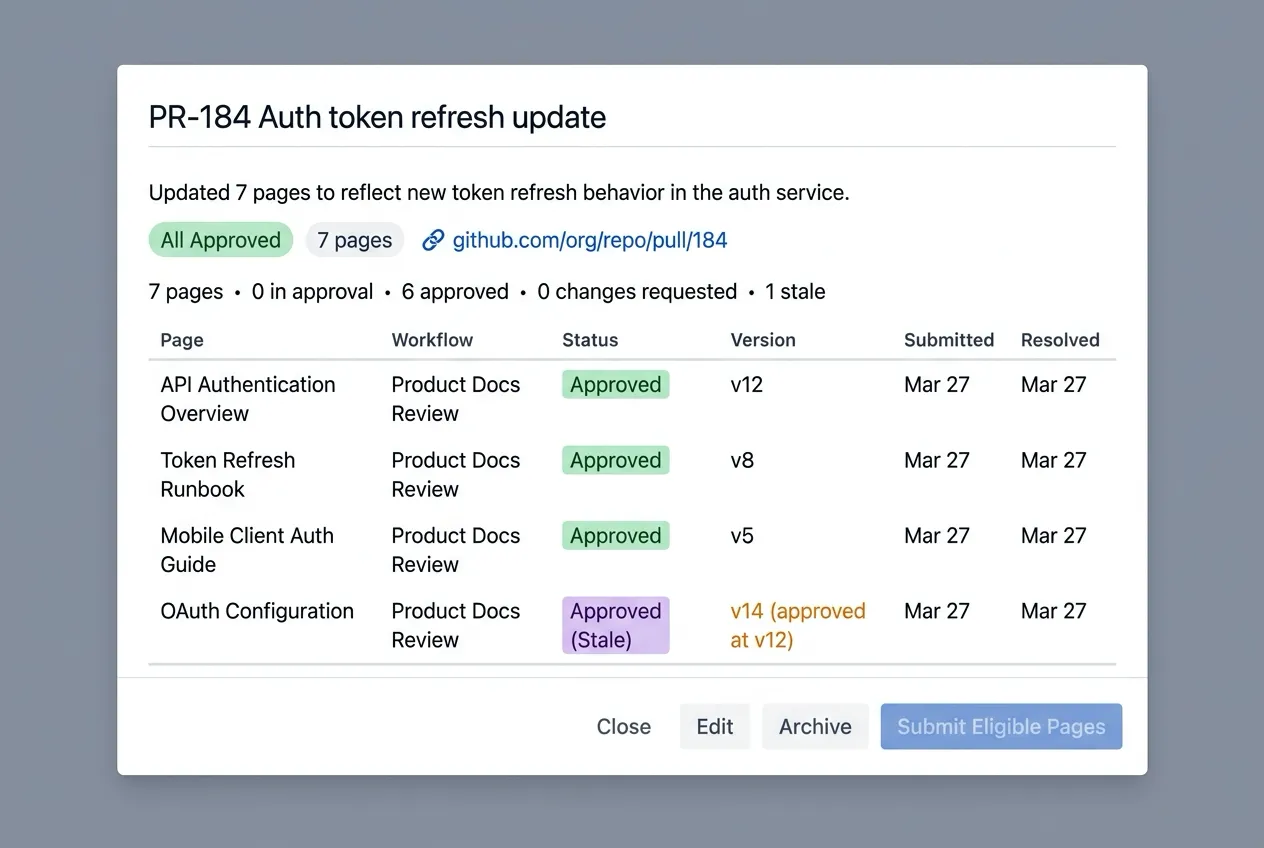
Section titled “Version-Aware Tracking”Each page in a change set tracks:
- Current page version — The latest version of the page in Confluence.
- Approved-at version — The version that was approved (if applicable).
- Is stale — Whether the page has been edited after its approval.
- Version delta — The number of versions between the approved version and the current version.
This means if anyone — or any automated pipeline — edits a page after it was approved, the change set immediately reflects that the approval is stale.
How It Works
Section titled “How It Works”1. Create a Change Set
Section titled “1. Create a Change Set”A space admin or API client creates a change set with a title, summary, optional reference URL, and the list of pages to include.
2. Preflight (Optional)
Section titled “2. Preflight (Optional)”Before submitting, run a preflight check. This is a dry-run evaluation that tells you:
- Which pages are eligible for submission.
- Which pages are blocked and why (e.g., no workflow assigned, page already pending approval, page deleted).
- Which workflow would be used for each page.
No data is written during a preflight — it is safe to run repeatedly.
3. Bulk Submit
Section titled “3. Bulk Submit”Submit all eligible pages in the change set for approval in one action. Each page is submitted individually to its assigned workflow, but the operation happens in one call. Partial success is allowed — if some pages cannot be submitted, the others still proceed, and you receive per-page success/failure details.
When pages are submitted through a change set, the Confluence page comment includes the change set title, summary, and reference URL link, giving reviewers full context.
4. Review and Approve
Section titled “4. Review and Approve”Reviewers approve or reject individual pages through the existing ApprovalFlow byline and approval queue. The change set rollup state updates automatically as pages move through the approval lifecycle.
5. Archive
Section titled “5. Archive”Once a change set is complete, you can archive it. Archived change sets are read-only — no further submissions or modifications are allowed.
Workflow Assignment
Section titled “Workflow Assignment”Change sets rely on the existing workflow assignment model:
- If a space has one active workflow, all pages in the space use it automatically.
- If a space has multiple active workflows, each page must have an explicit workflow assignment before it can be submitted.
- The preflight endpoint tells you exactly which pages are blocked due to missing workflow assignments.
Tip: For spaces with shared page ownership across multiple teams, assign workflows to pages via the Manage Space tab before creating change sets.
Use Cases
Section titled “Use Cases”- Automated documentation updates — A CI/CD pipeline or script edits multiple pages for a single code change. A change set groups those edits for human review with the source PR linked as context.
- Product release documentation — Multiple pages updated for a feature launch, reviewed as one unit.
- Compliance reviews — A set of policy pages reviewed together for a regulatory update, with full audit trail.
- Migration projects — Pages moved or restructured as part of a documentation migration, tracked as one review bundle.
Related
Section titled “Related”- REST API Reference — Programmatic access to change sets.
- Getting Started: Manage Space — Workflow assignment for pages.
- Getting Started: Approval Queue — Reviewing pending approvals.