Getting Started: Byline and Approval Status
Purpose
Section titled “Purpose”The page byline is where authors and approvers interact with approval lifecycle state.
Author Flow
Section titled “Author Flow”- Open an existing Confluence page.
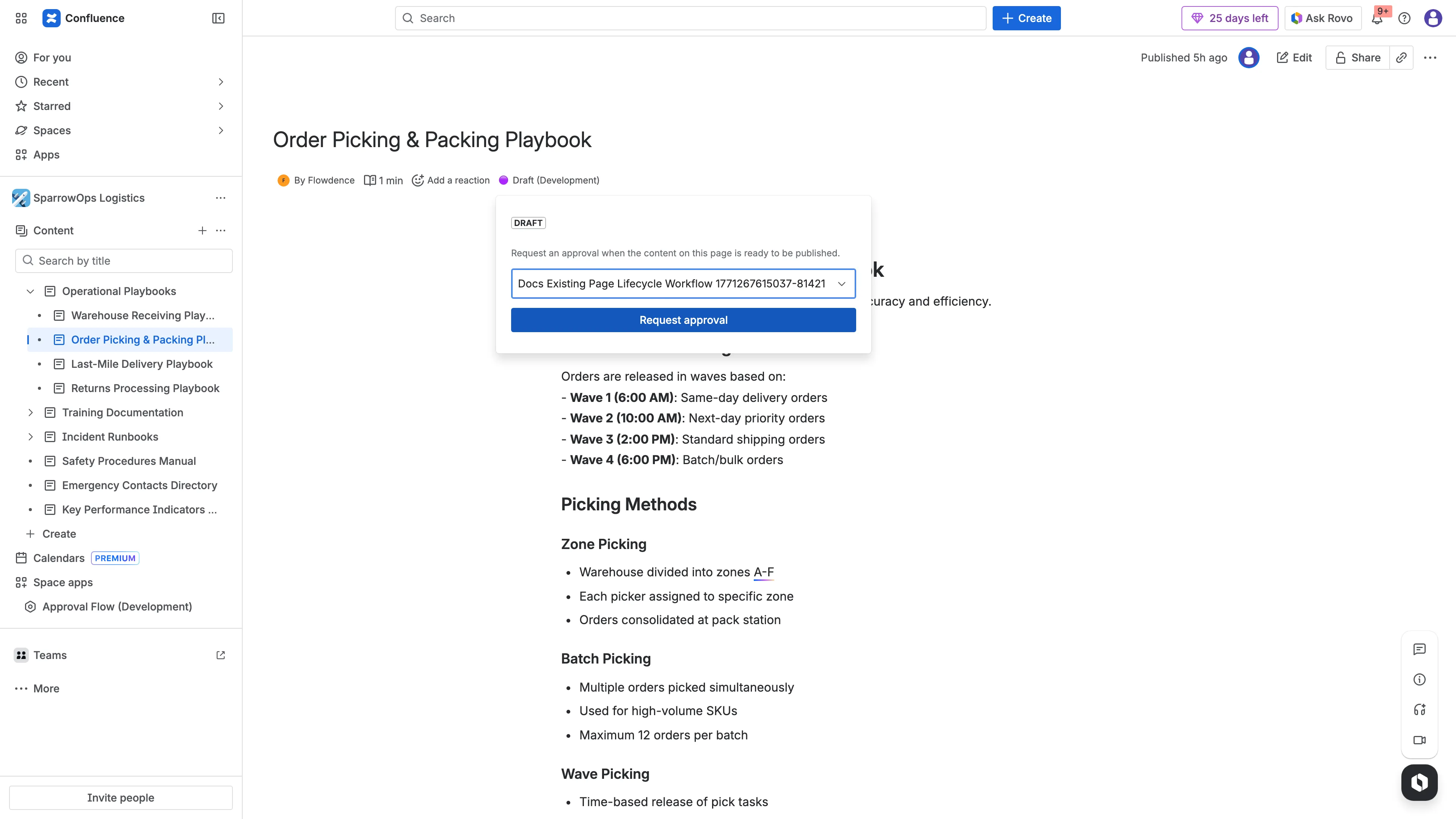
- Open byline status (
Draft,In Approval, etc.). - Select workflow.
- Click
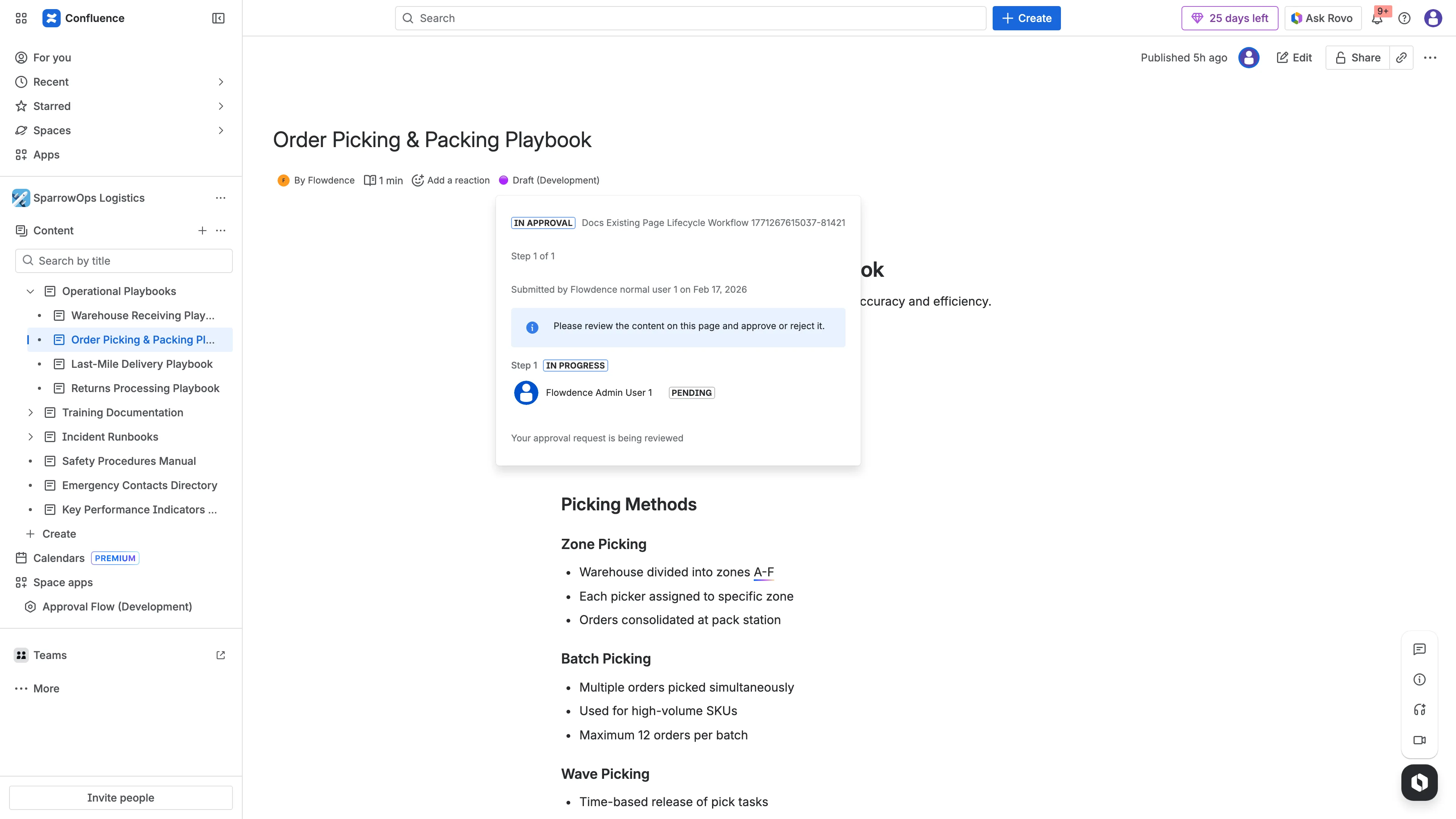
Request approval(if available). - Confirm status changes to
In Approval.
Approver Flow
Section titled “Approver Flow”- Open the same page as approver.
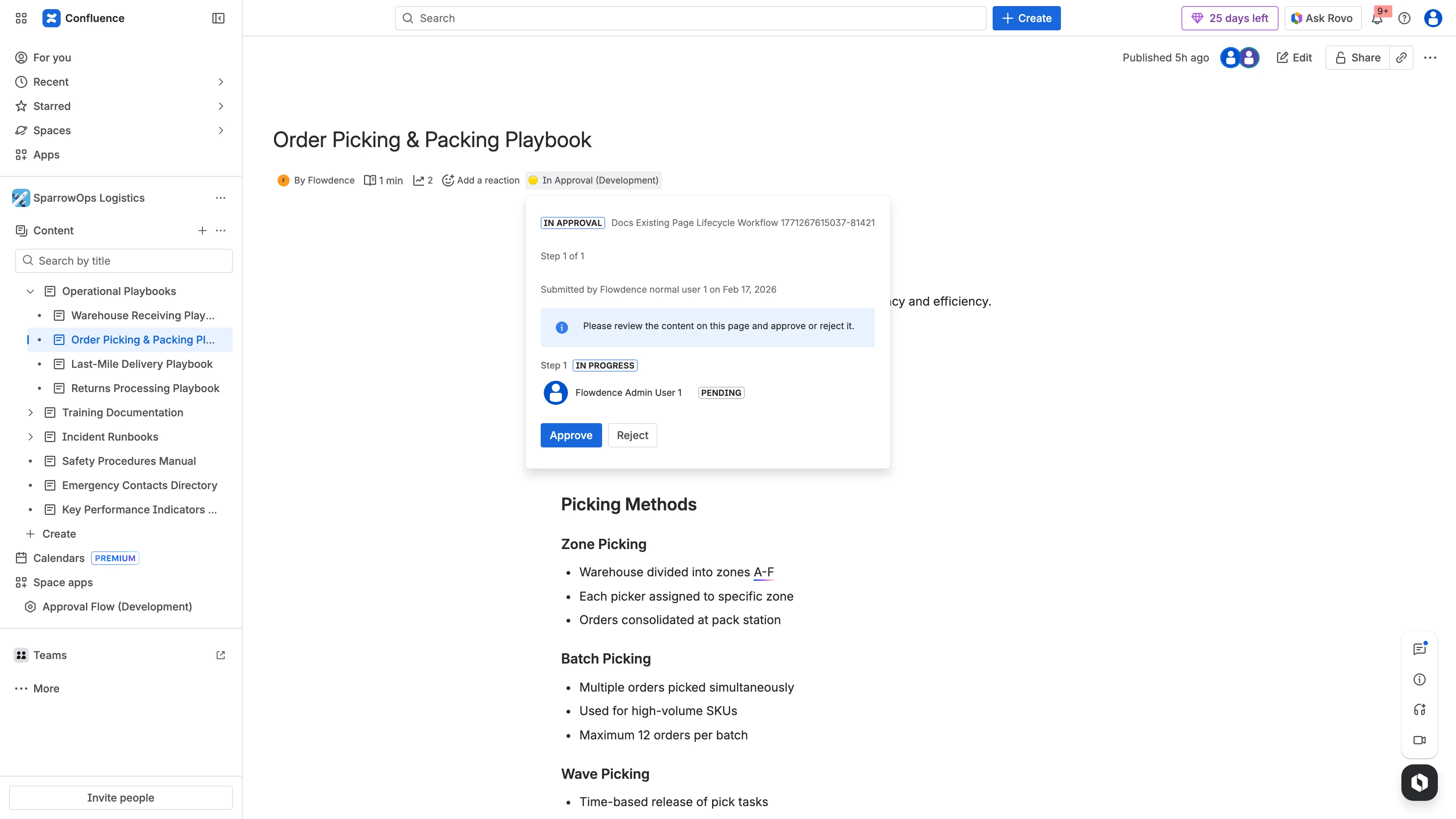
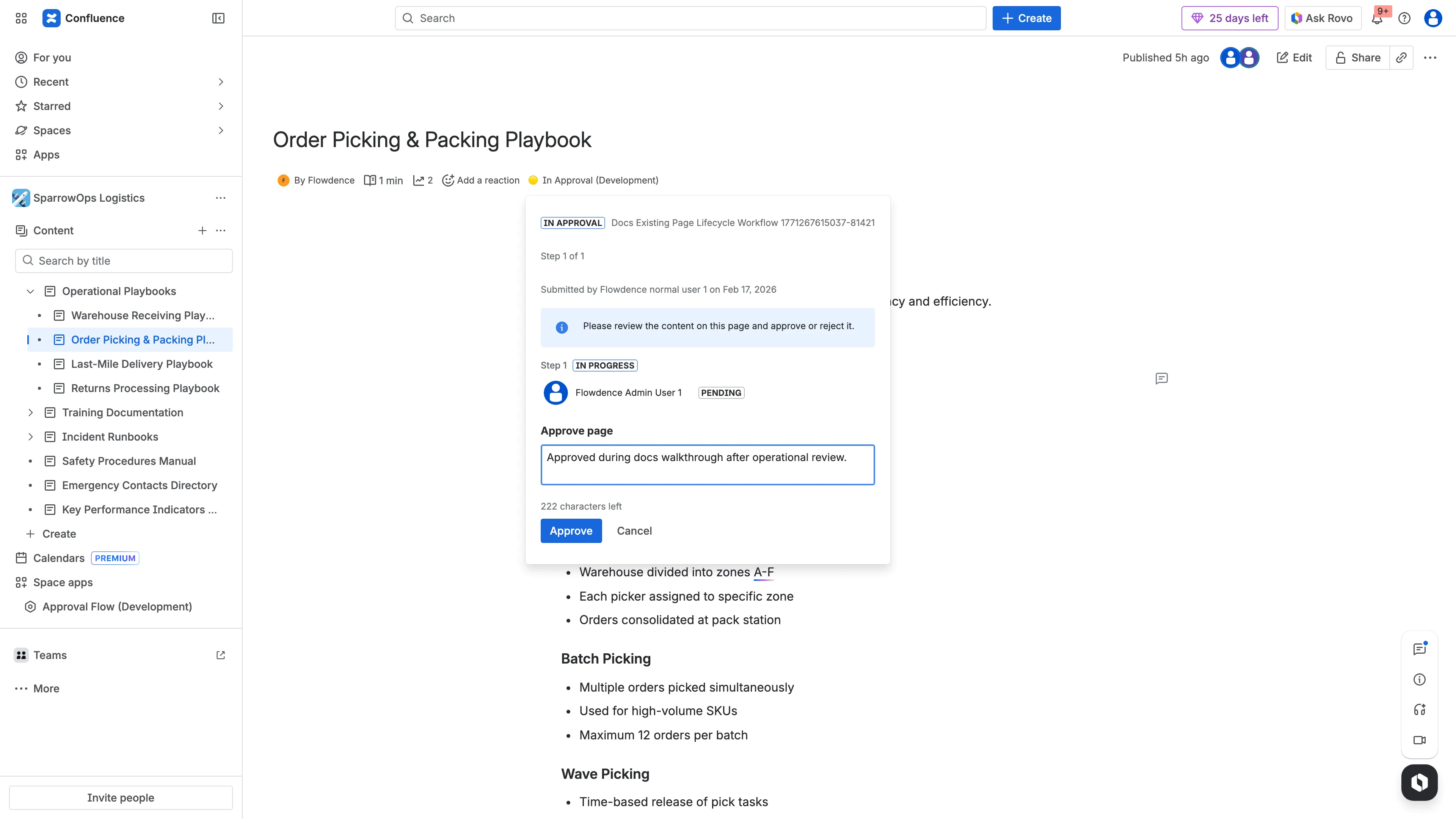
- Open byline panel.
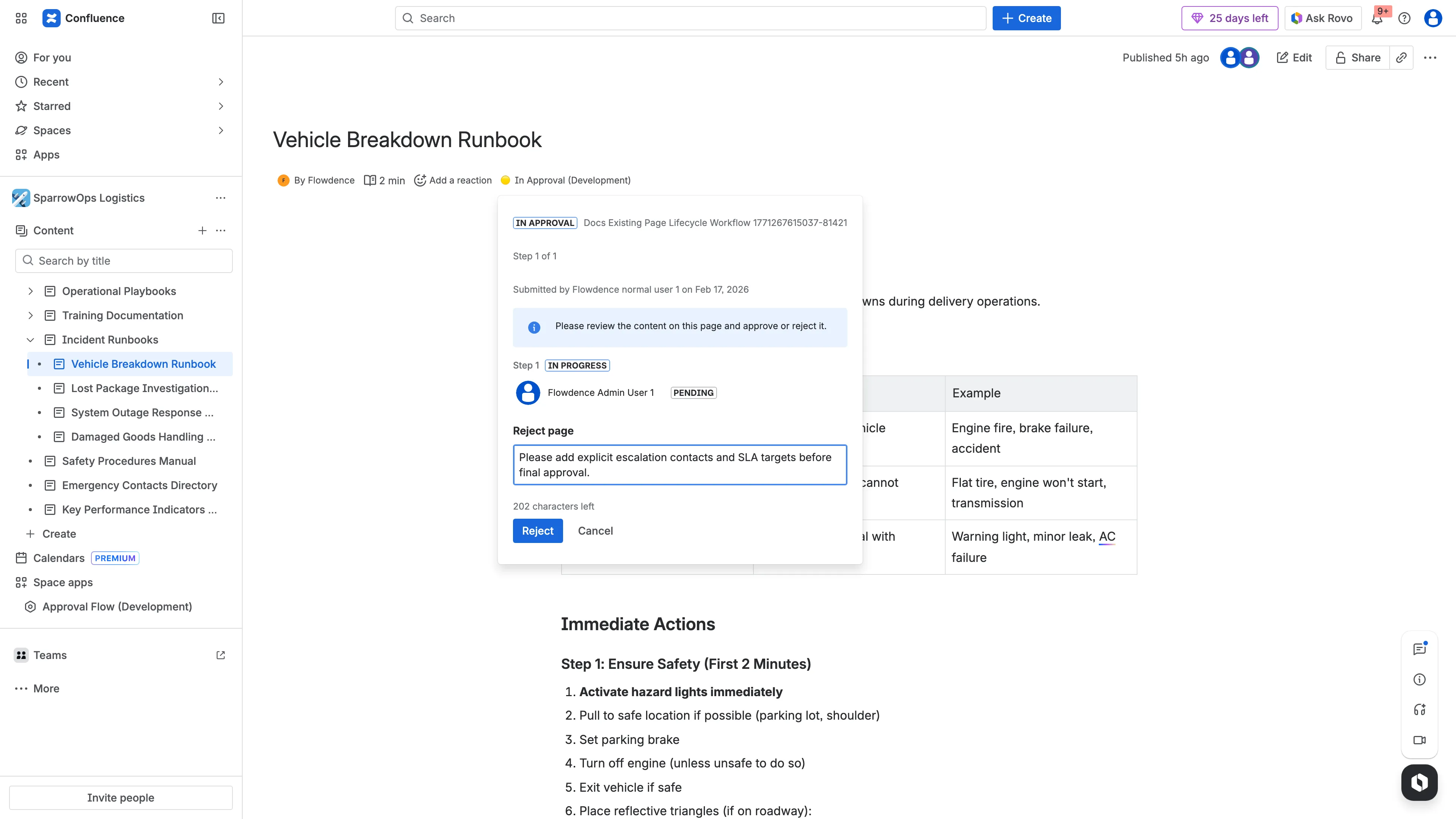
- Click
ApproveorReject. - Add decision comment.
Status Outcomes
Section titled “Status Outcomes”- Approved state:
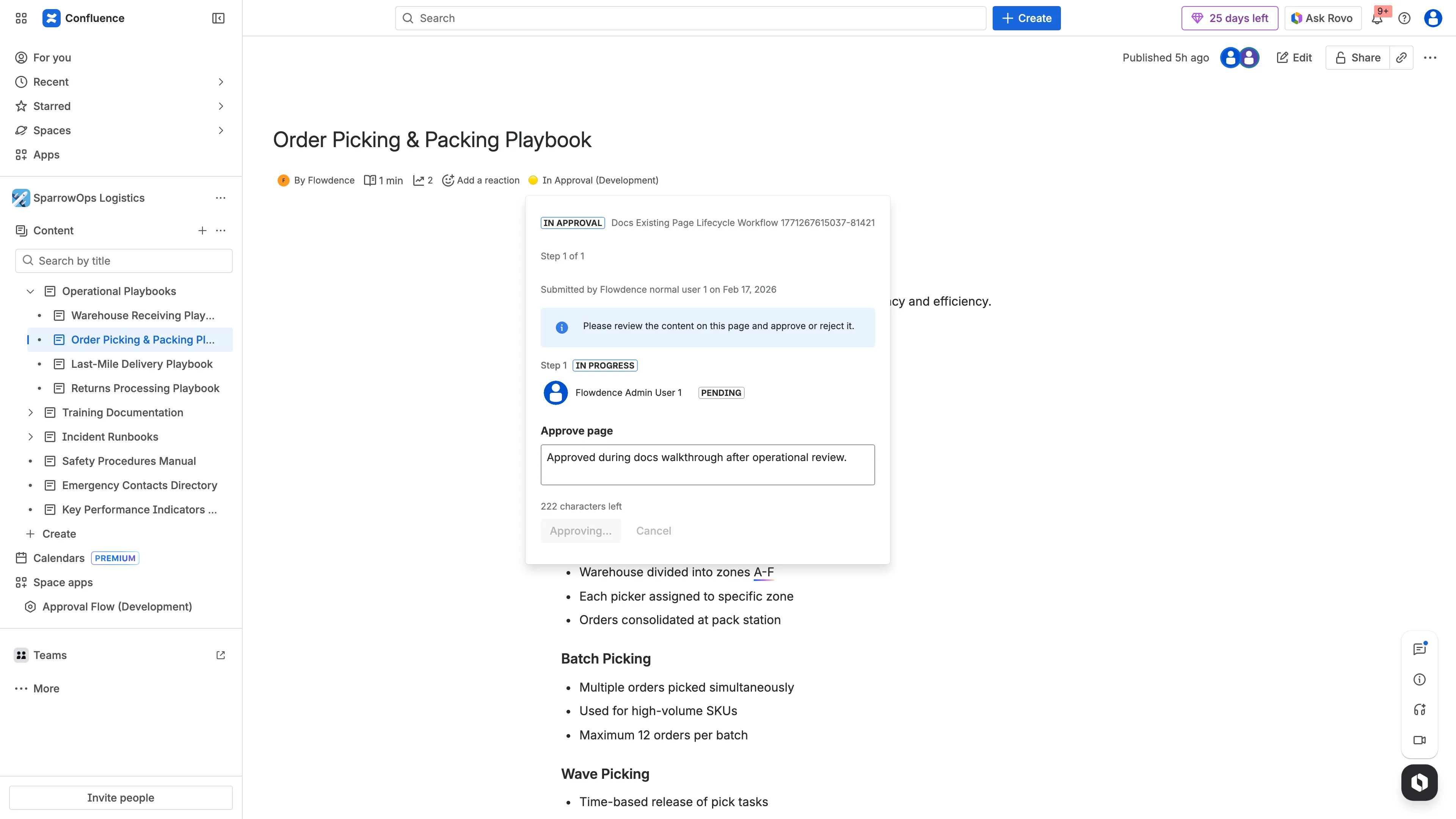
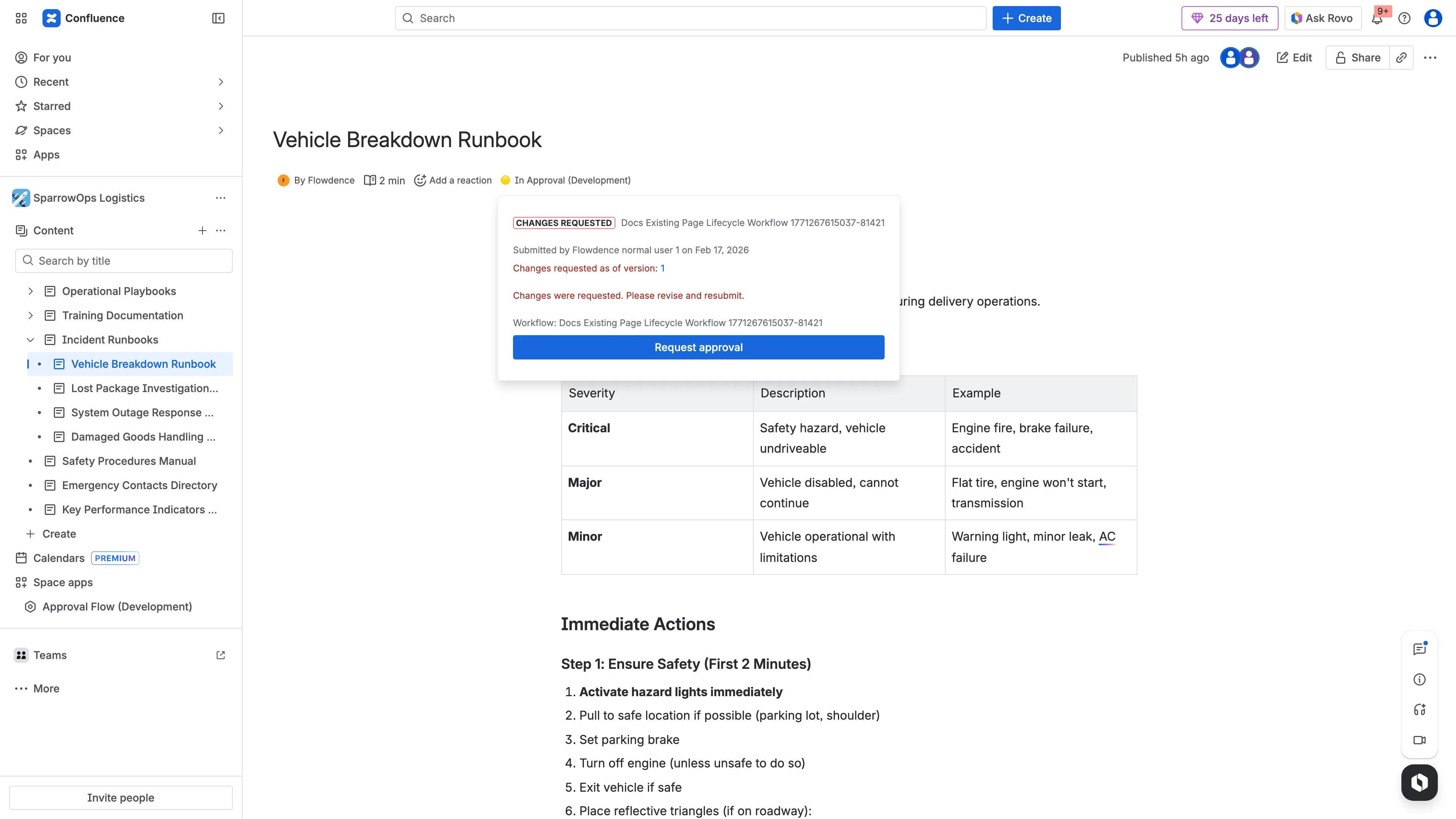
- Rejected/changes requested state: