
Installation
Preconditions
Section titled “Preconditions”- Confluence Cloud site with admin access.
- Approval Flow app package deployed and available to install.
- Target space(s):
SPARROWand optionallySPARROWSALES.
Install Steps
Section titled “Install Steps”- Open Confluence as a site or org admin.
- Go to
Apps->Manage apps. - Install Approval Flow (development or production listing, based on environment).
- Open target space (for example
SPARROW). - Verify
Approval Flow (Development)appears underSpace appsin left navigation. - Click
Approval Flow (Development). - Confirm the app opens with tabs:
WorkflowsApproval QueueWorkflow AnalyticsManage Space
Verification Screenshot
Section titled “Verification Screenshot”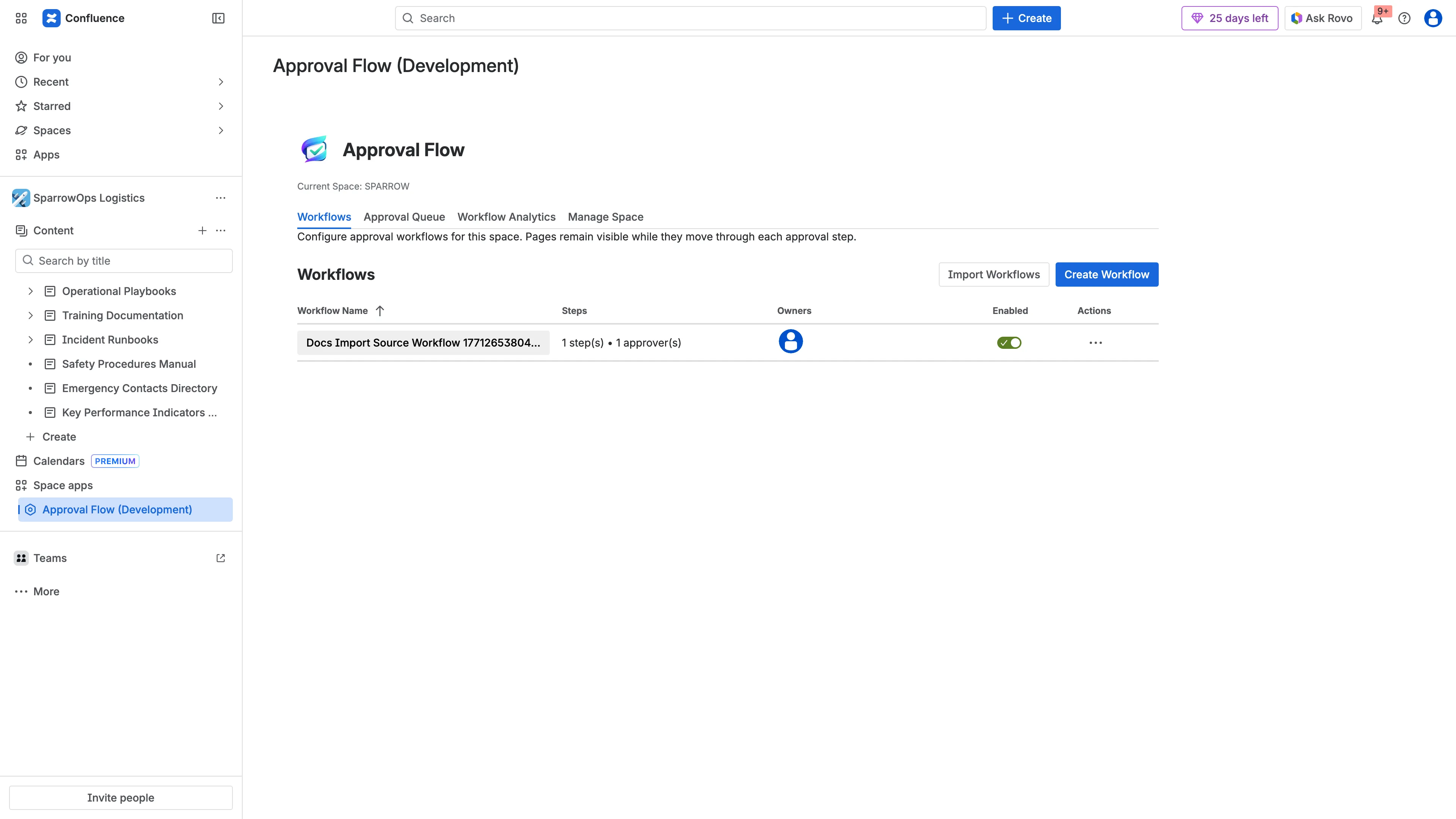
Verification Video
Section titled “Verification Video”Download video: Admin walkthrough video
Post-Install Validation Checklist
Section titled “Post-Install Validation Checklist”- App opens without permission errors.
- Workflow table loads.
- Create Workflow button is visible.
- Sidebar entry persists after refresh.