
Tutorial: Approve and Reject with Comments
Objective
Section titled “Objective”Run both decision paths and verify comment/audit behavior.
- Author opens existing page and requests approval.
- Approver opens pending panel and submits approval comment.
- Verify approved status.
- Author submits another page for review.
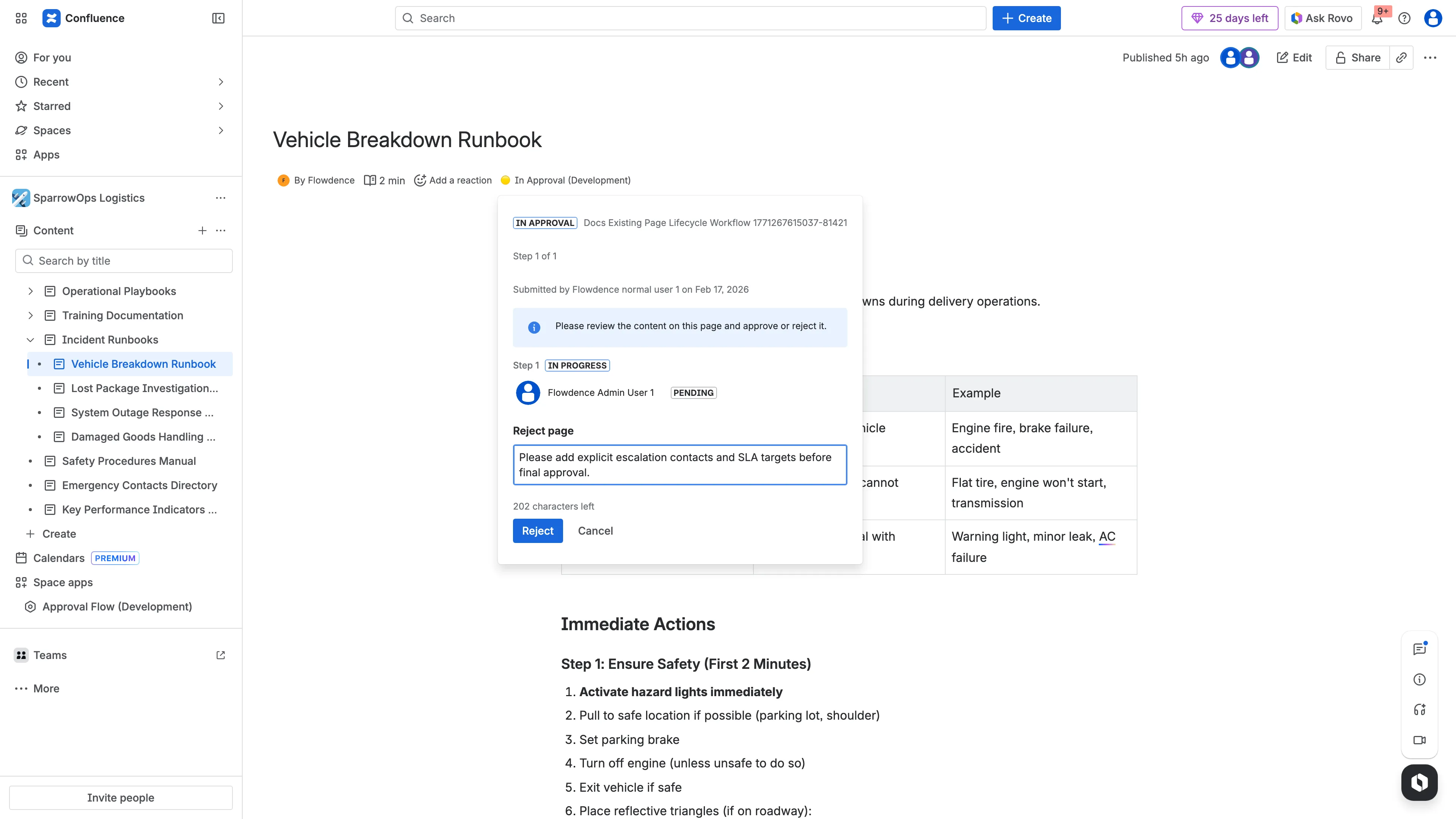
- Approver rejects with required-change comment.
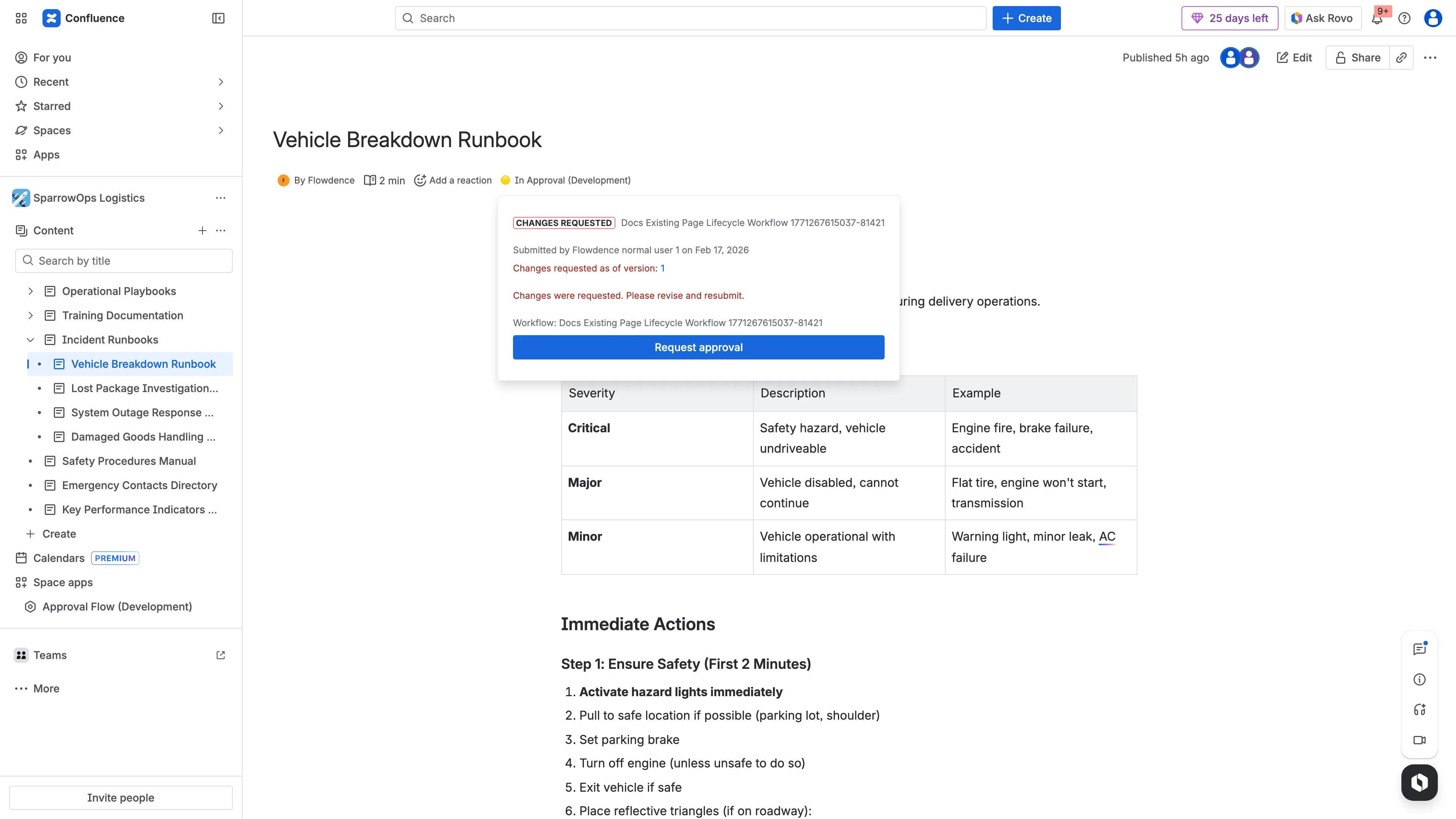
- Verify rejected state and page comments.
Evidence
Section titled “Evidence”Approve Path
Section titled “Approve Path”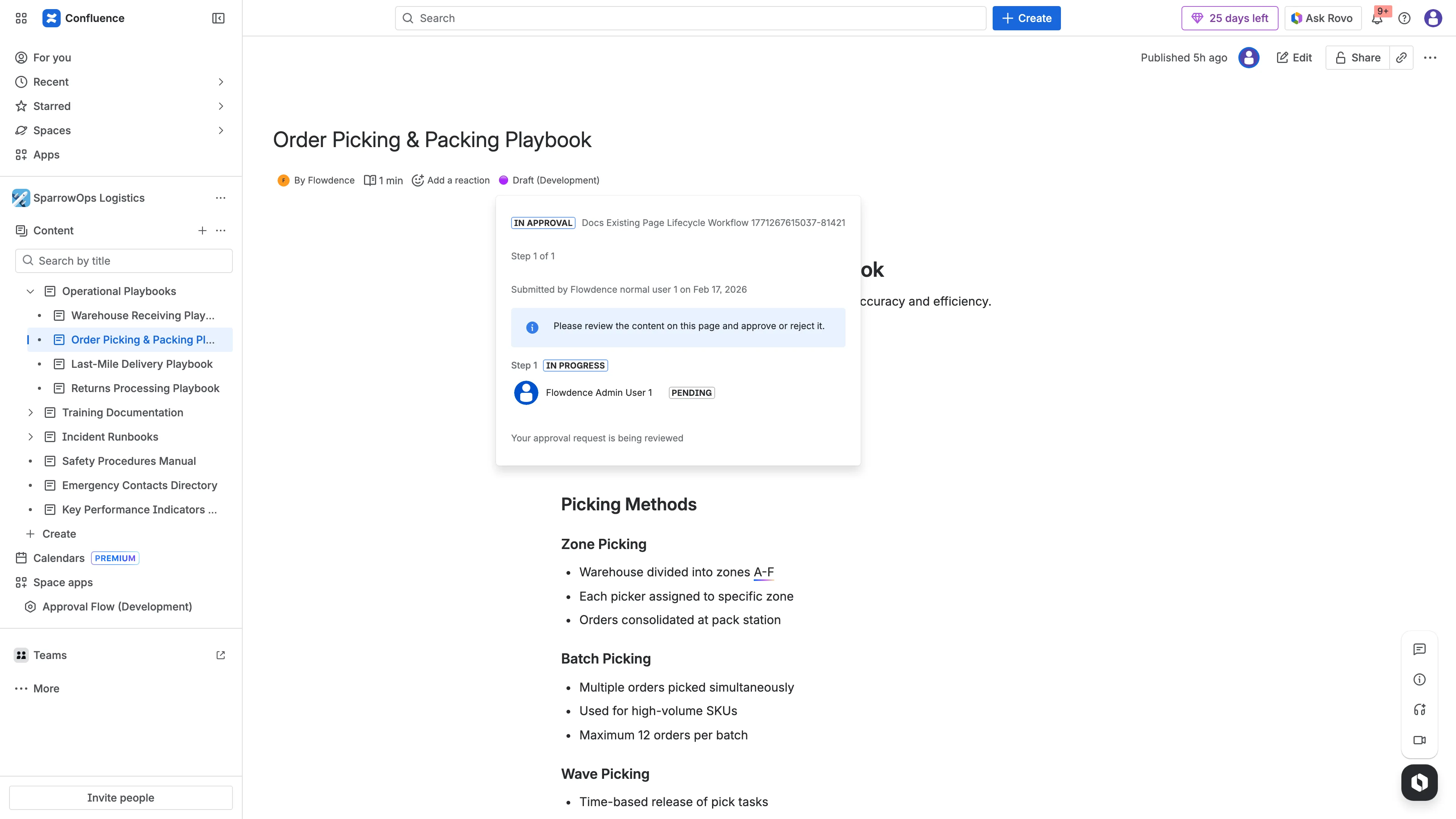
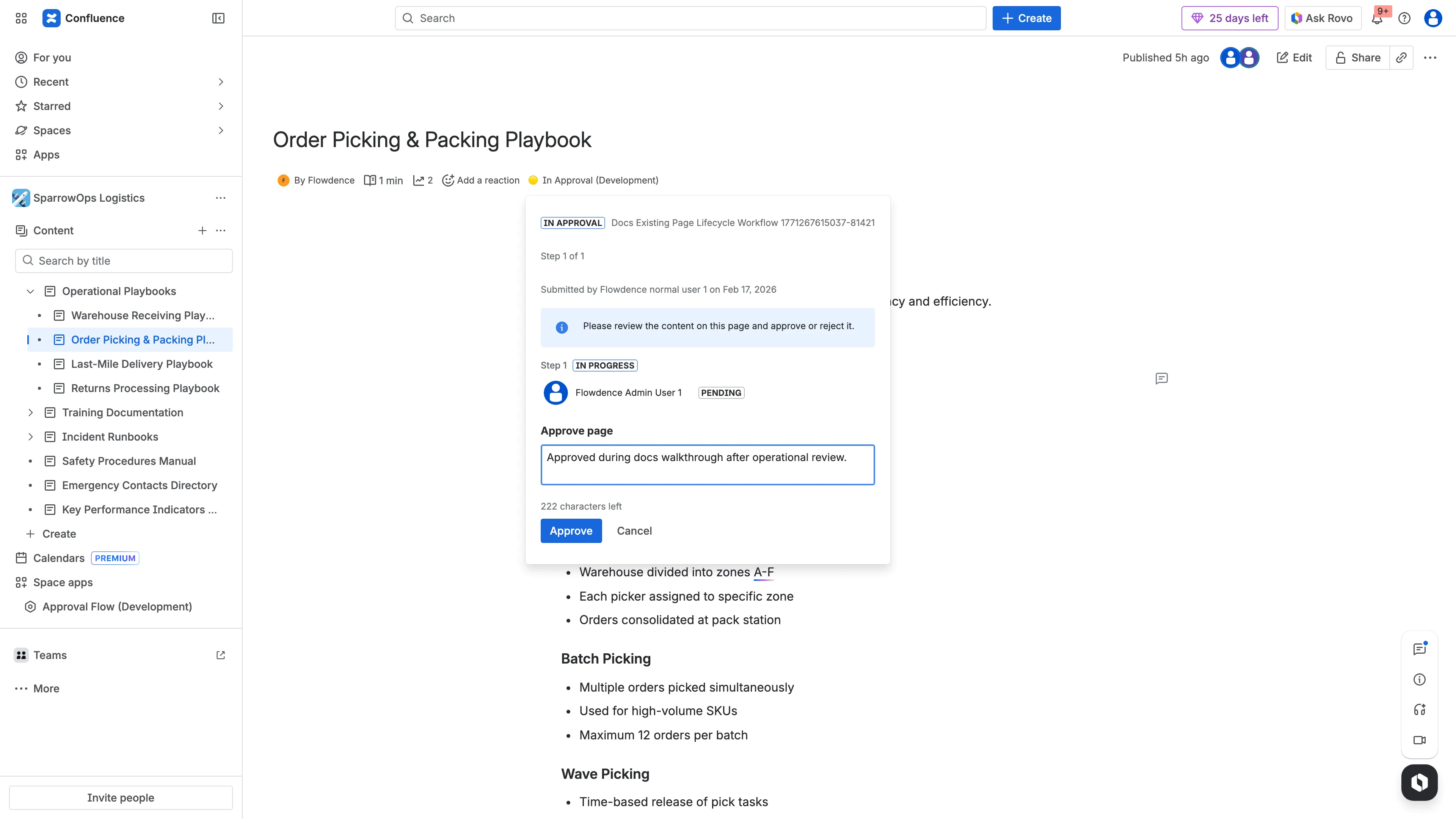
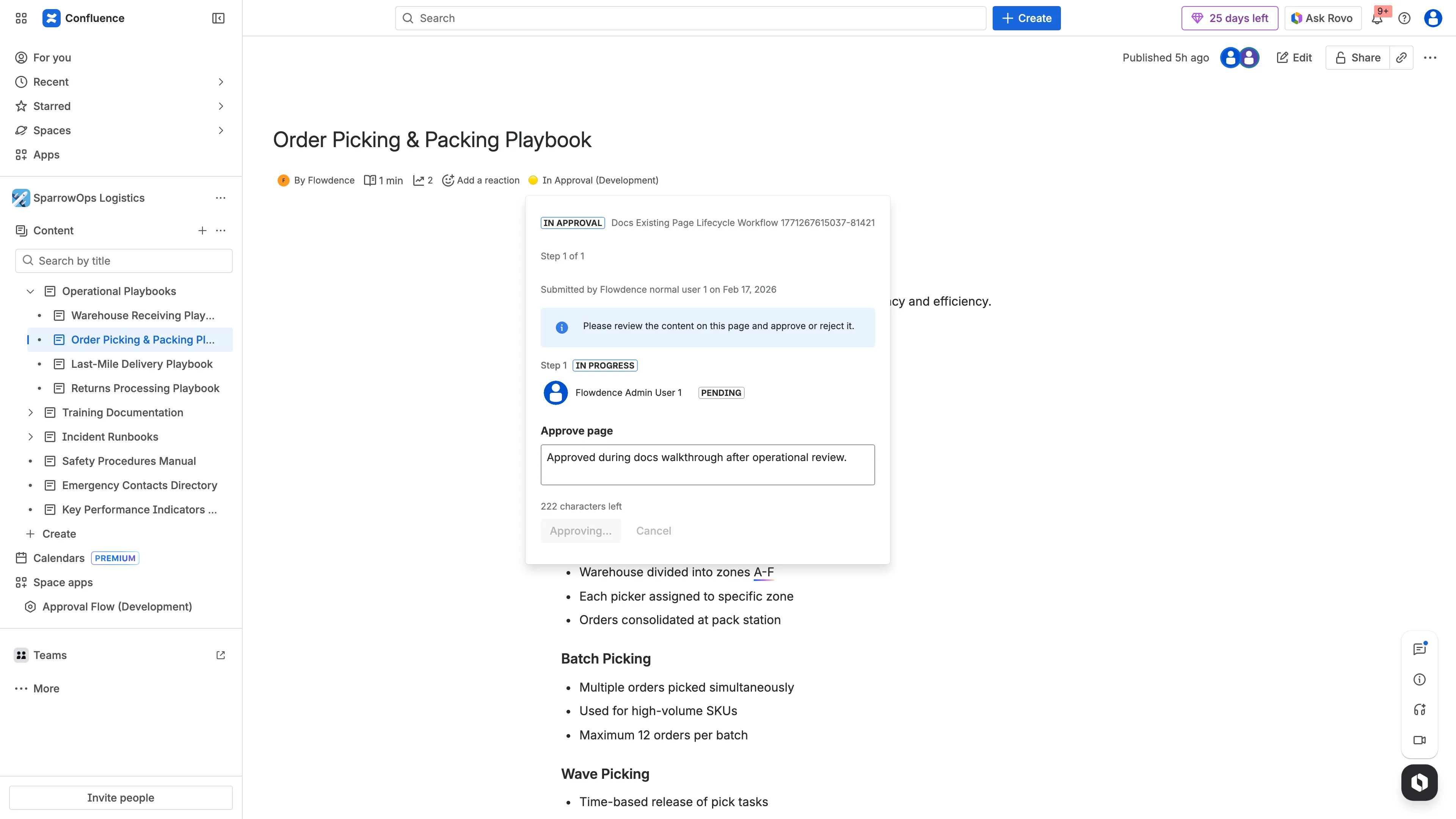
Reject Path
Section titled “Reject Path”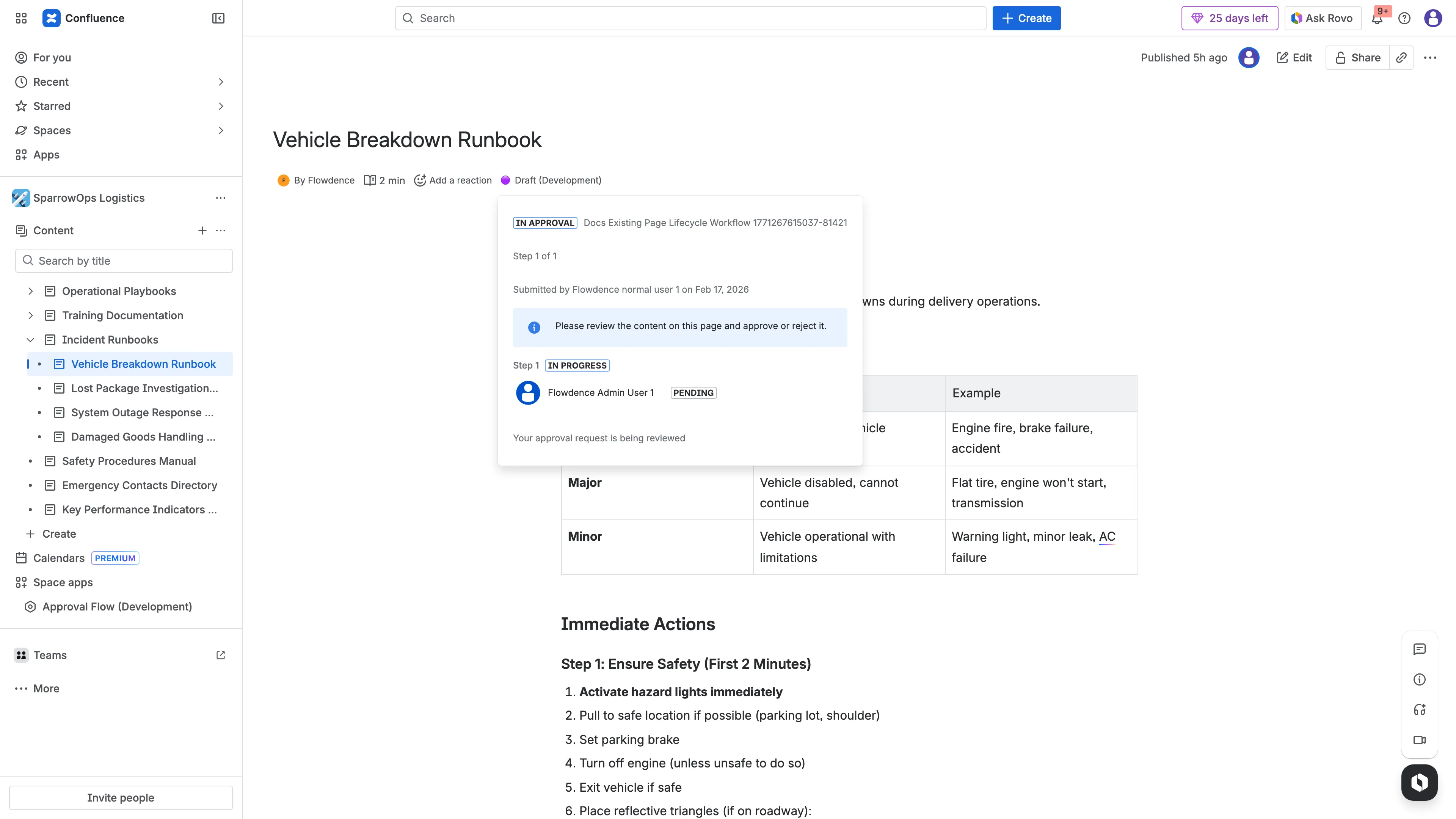
Comments/Audit
Section titled “Comments/Audit”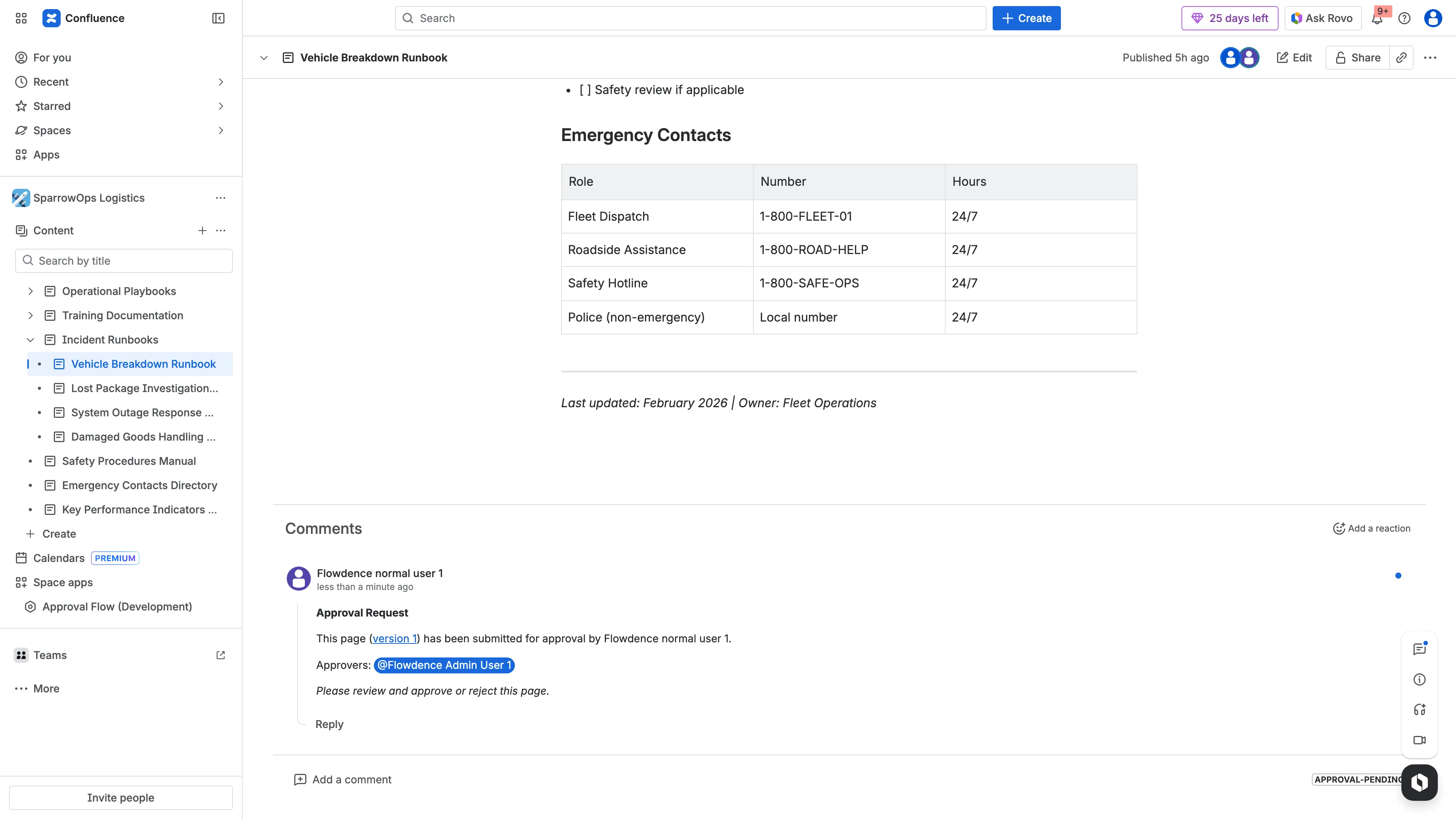
Download video: Lifecycle decision walkthrough