
Tutorial: First Workflow on Existing SPARROW Pages
Objective
Section titled “Objective”Set up a workflow and run first approval cycle using existing SPARROW documentation pages.
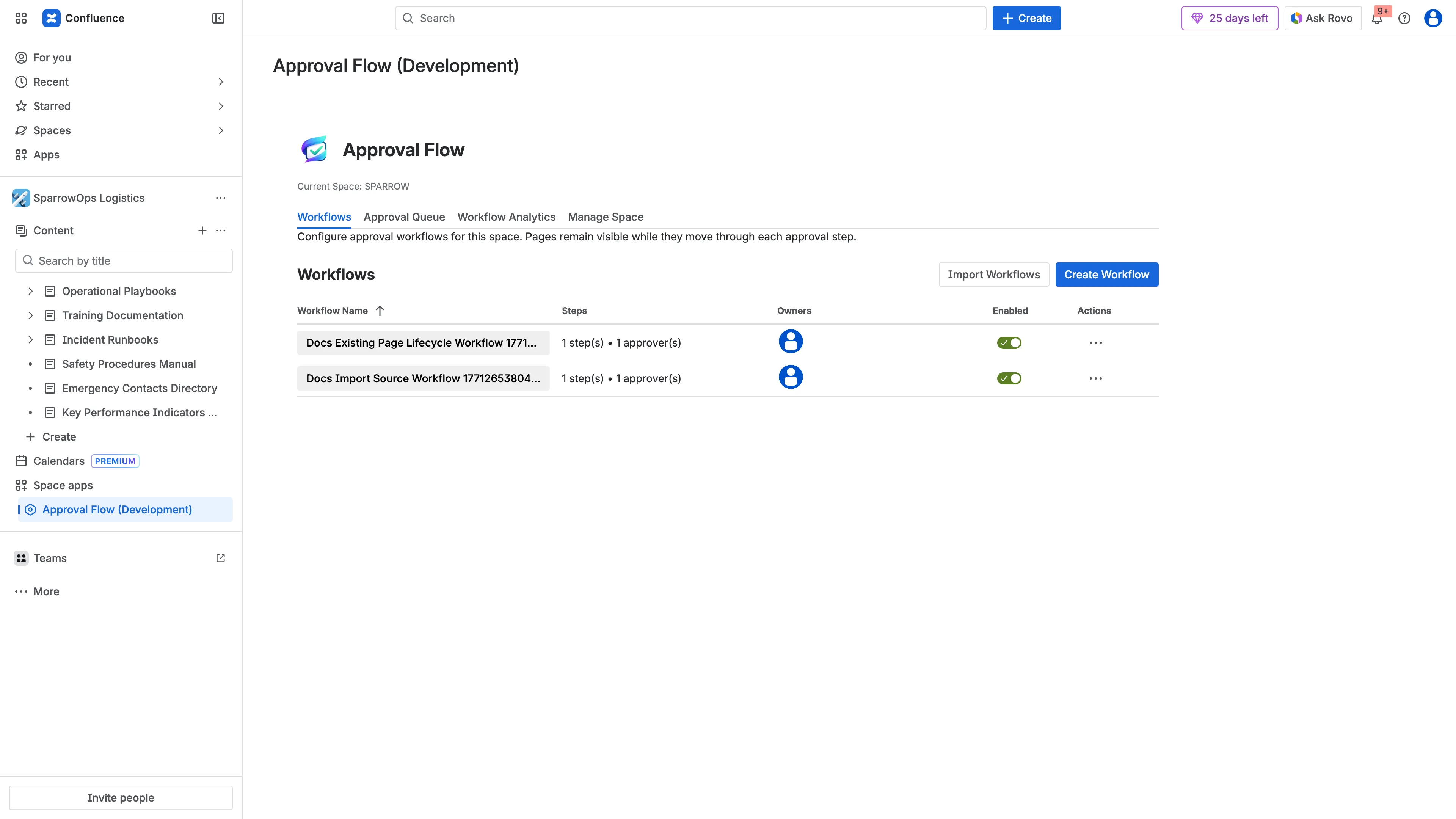
- Open
SPARROW->Approval Flow (Development)->Workflows. - Create a workflow and set approver.
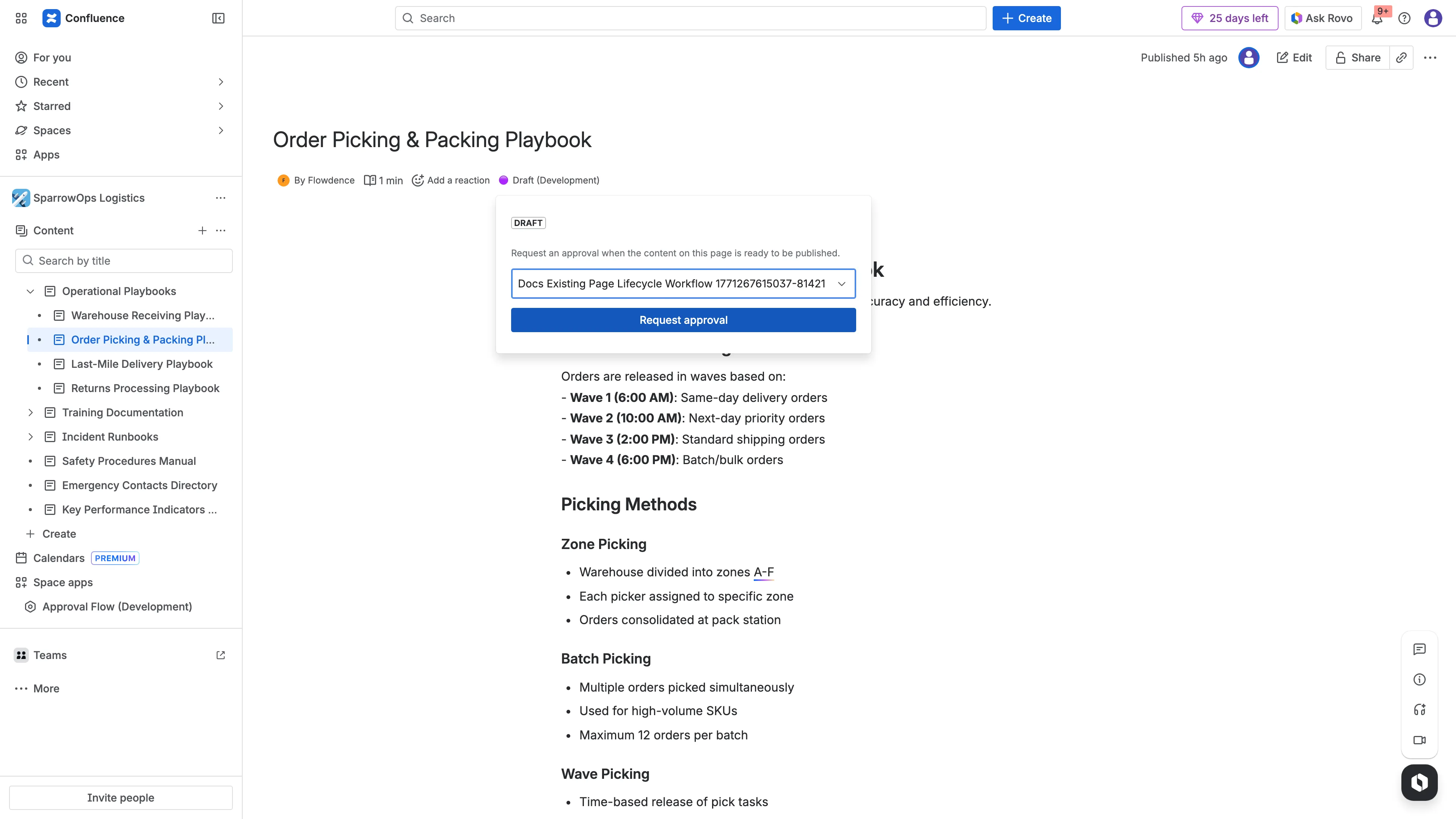
- Open an existing page in SPARROW.
- Submit for approval from byline.
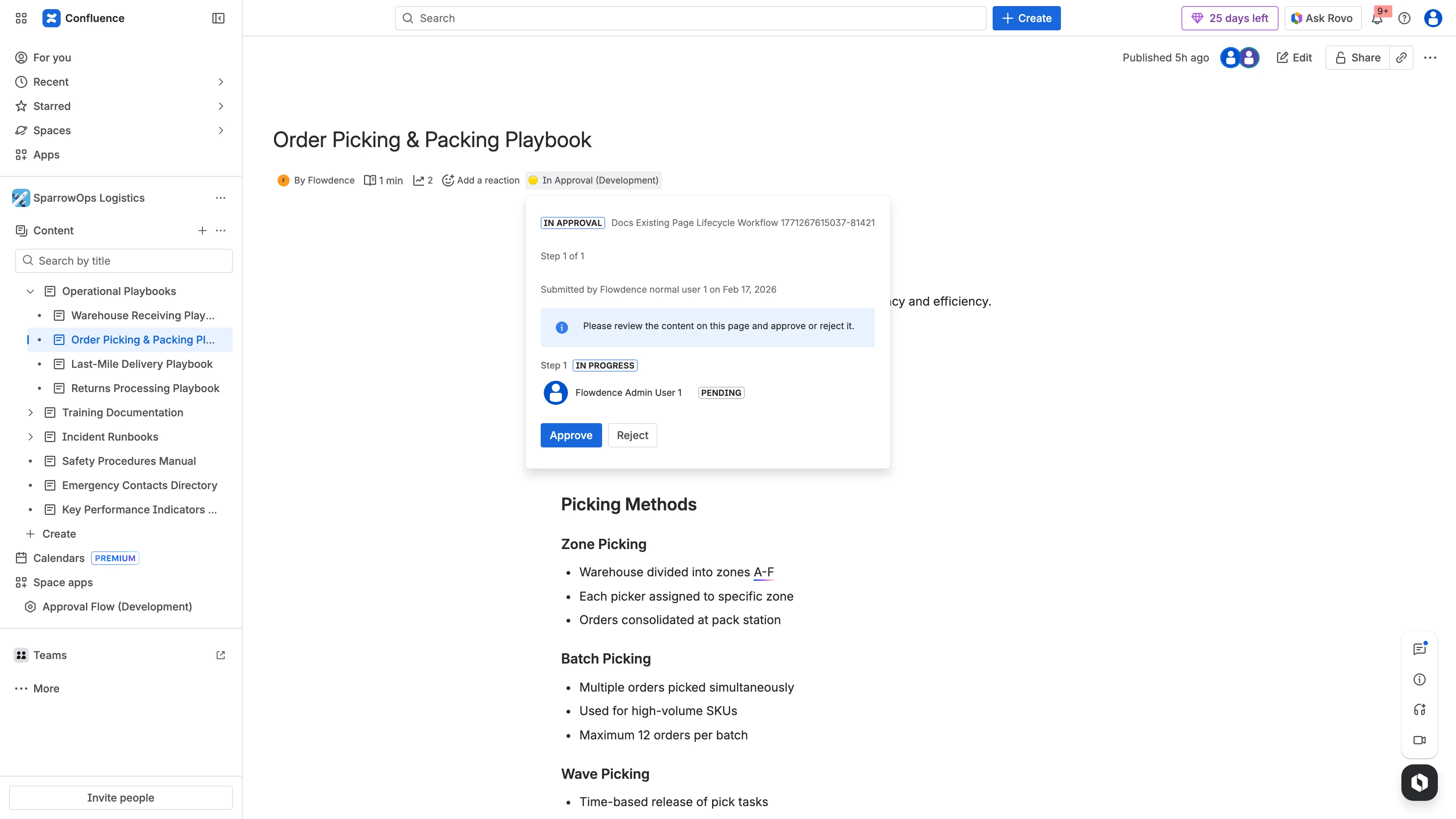
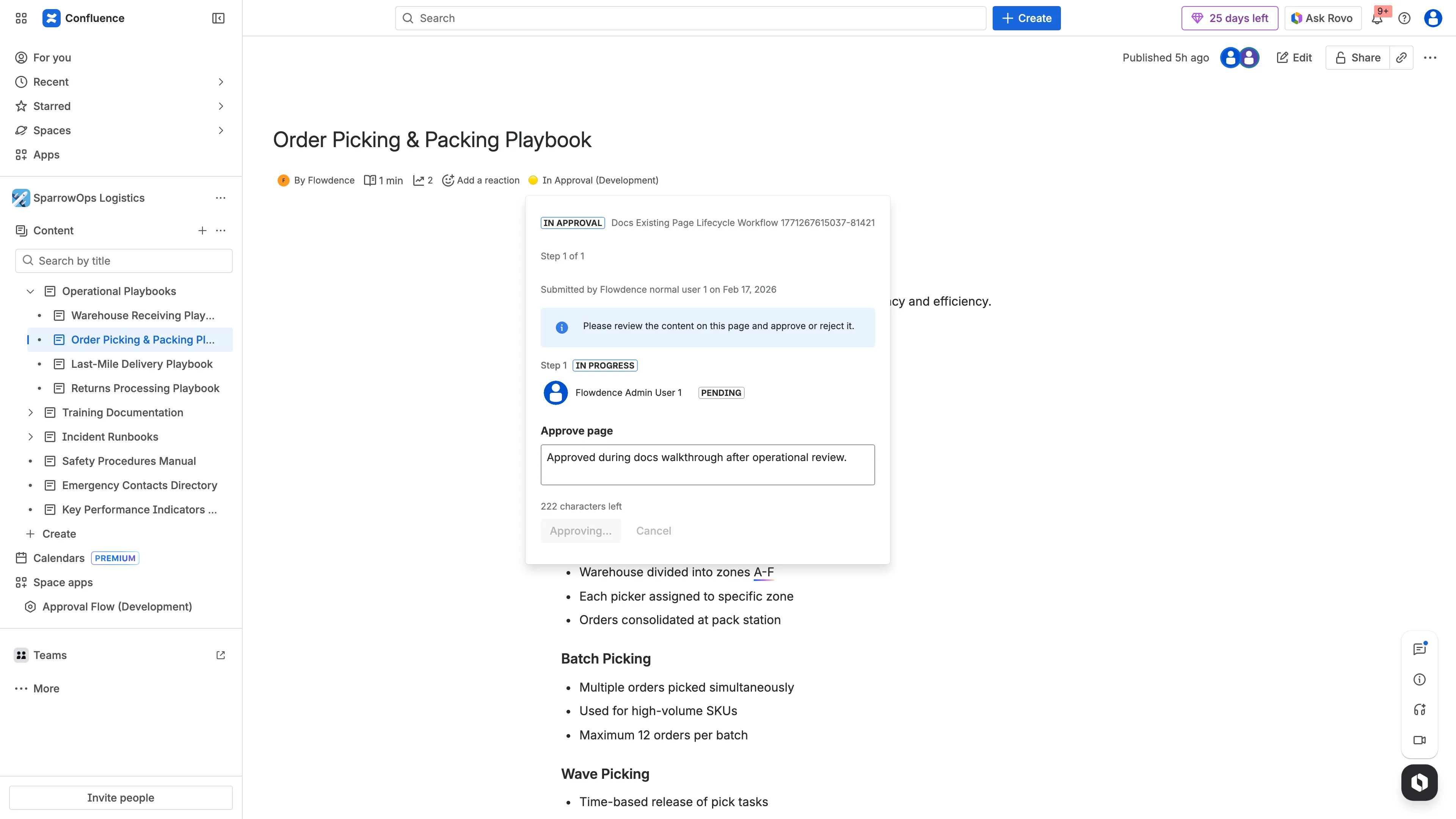
- Approver opens page and approves.
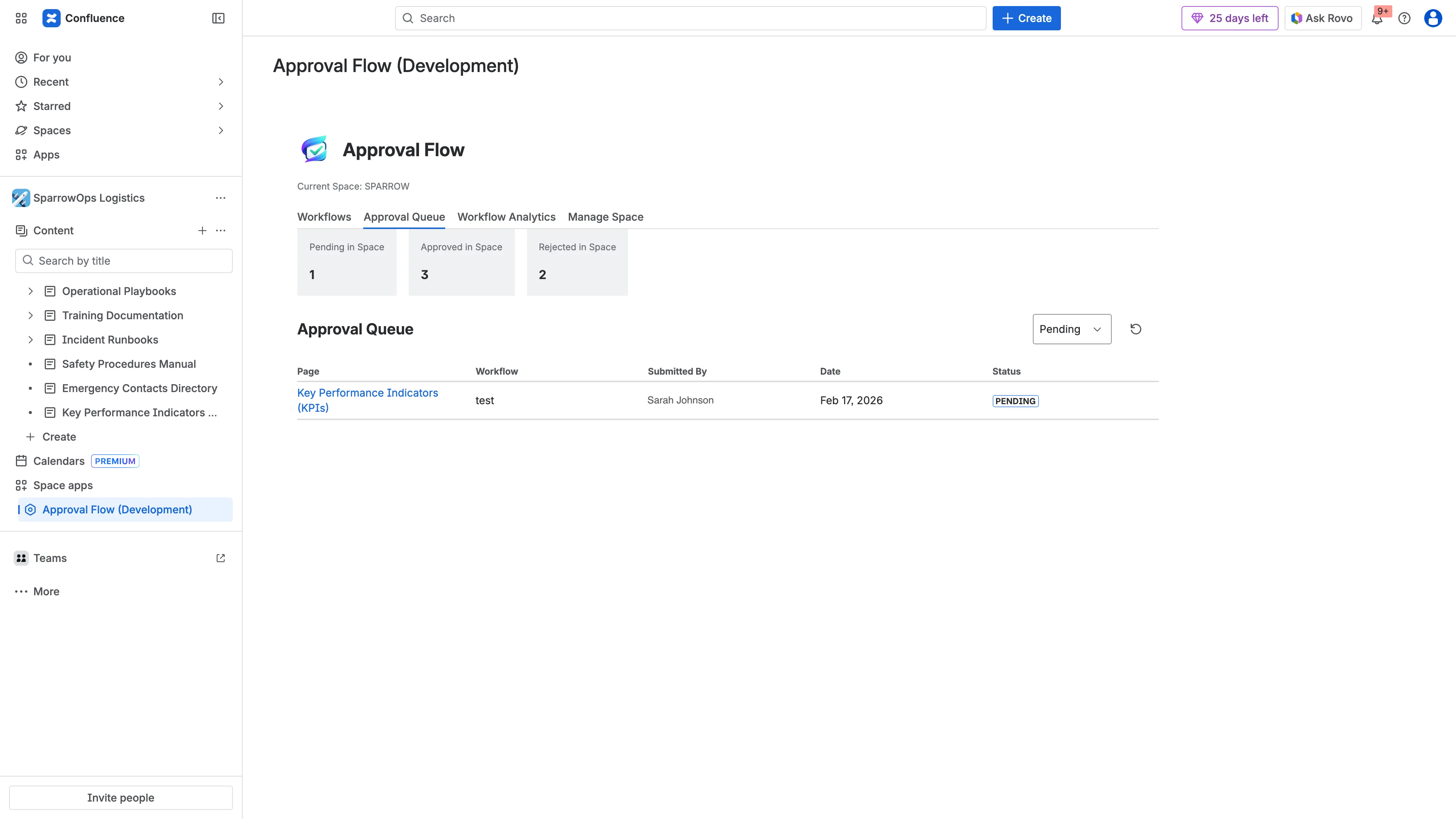
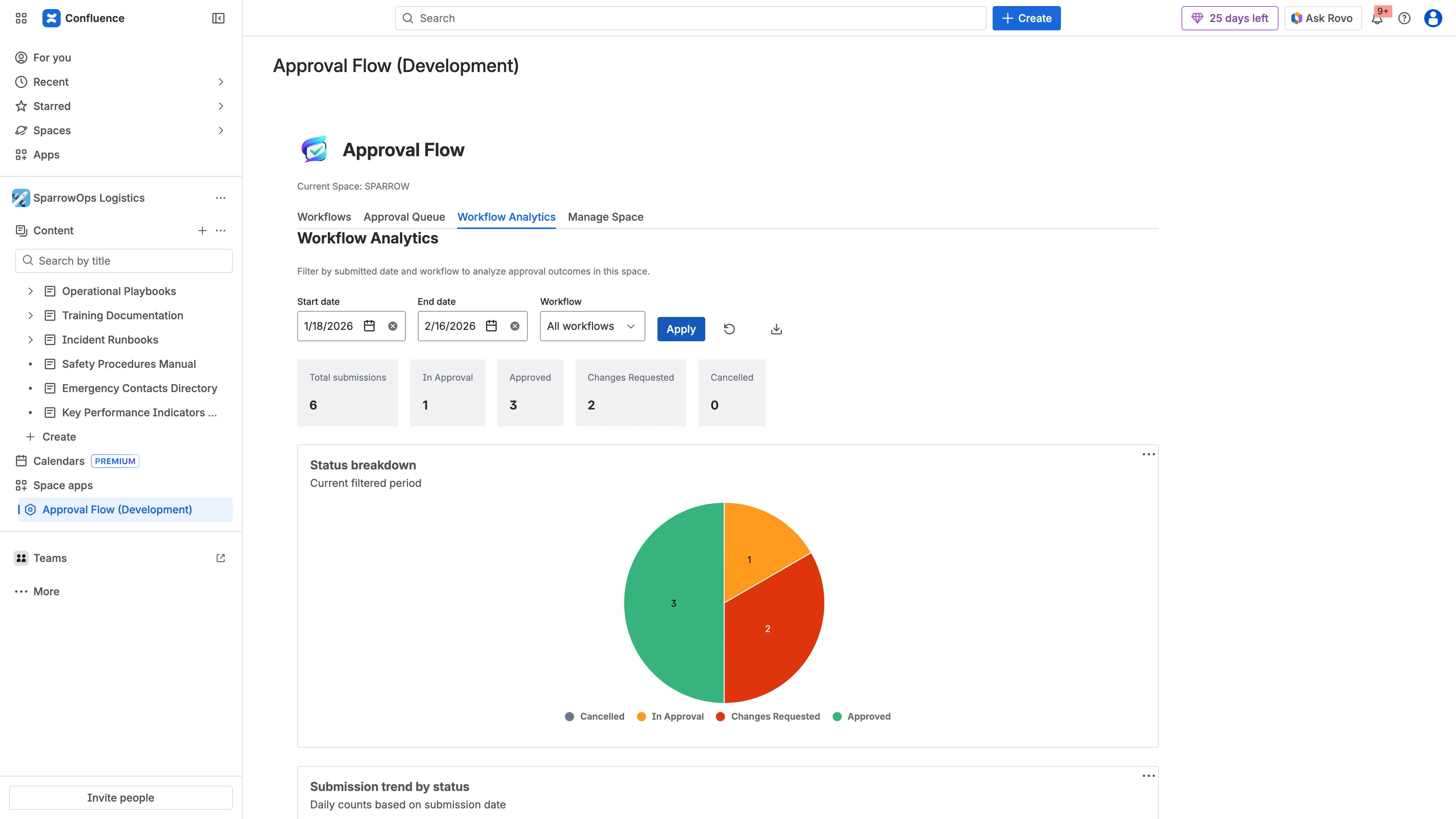
- Verify comments, queue entry, and analytics update.
Evidence Walkthrough
Section titled “Evidence Walkthrough”- Workflow creation:
- Author submission:
- Pending approver view:
- Approved result:
- Queue verification:
- Analytics verification:
Download video: Full lifecycle walkthrough