
Getting Started: MuleSight Ops Dashboard
Why This Tab Matters
Section titled “Why This Tab Matters”This tab provides operational context for drift-state publishing and scheduled sync monitoring.
Where to Open
Section titled “Where to Open”MuleSight Dashboard -> MuleSight Ops Dashboard
Guided Flow
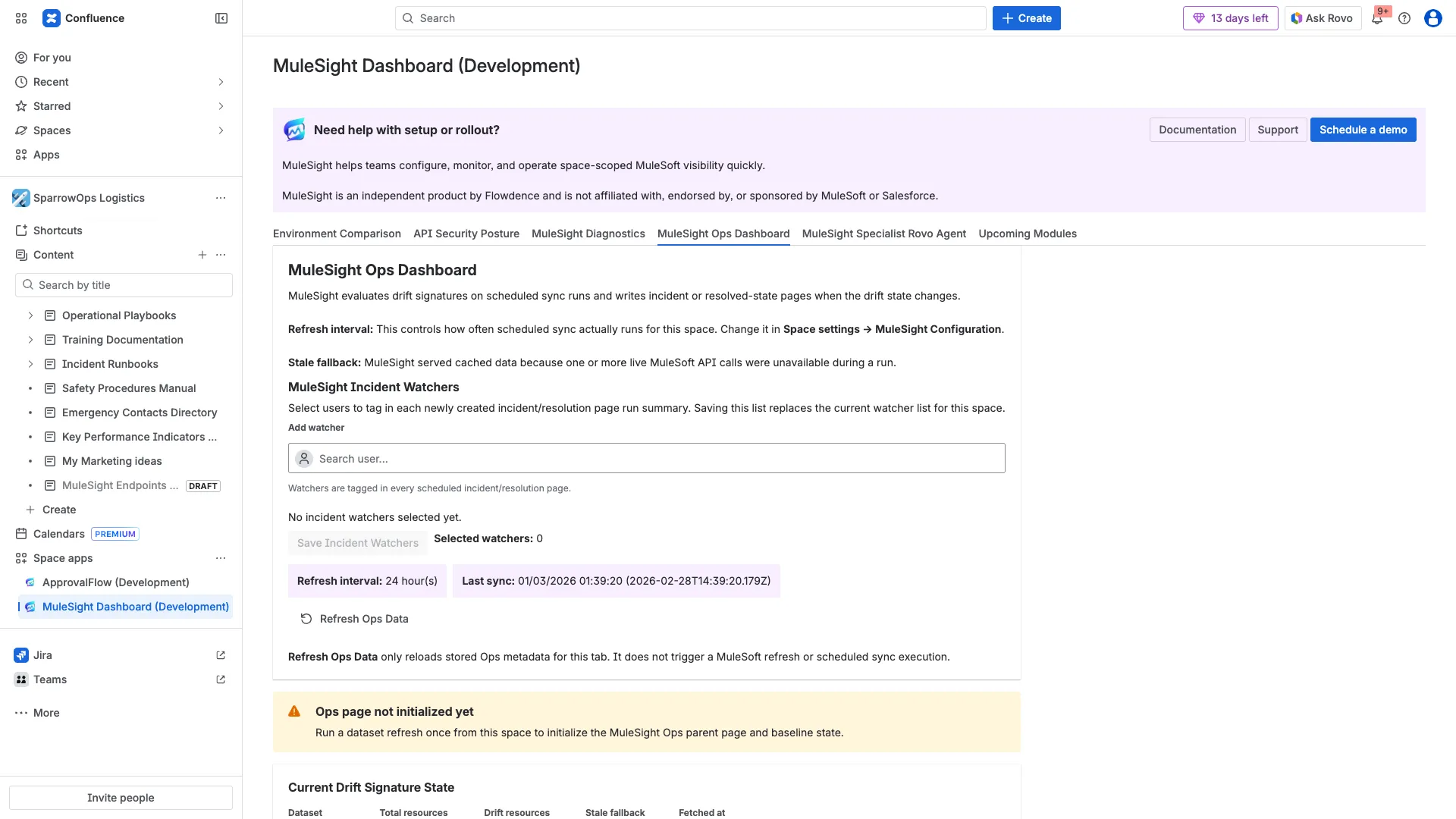
Section titled “Guided Flow”Step 1: Review ops state and watcher controls
Section titled “Step 1: Review ops state and watcher controls”Check refresh interval, last sync, stale fallback notes, and watcher controls in one place.
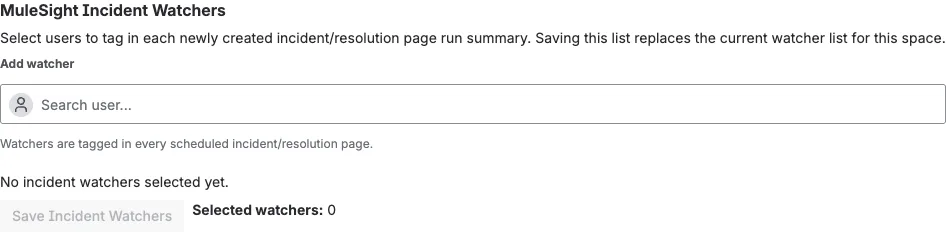
Step 2: Configure incident watchers
Section titled “Step 2: Configure incident watchers”Use Add watcher to search users, then save the watcher list so incident/resolution runs can tag those users.
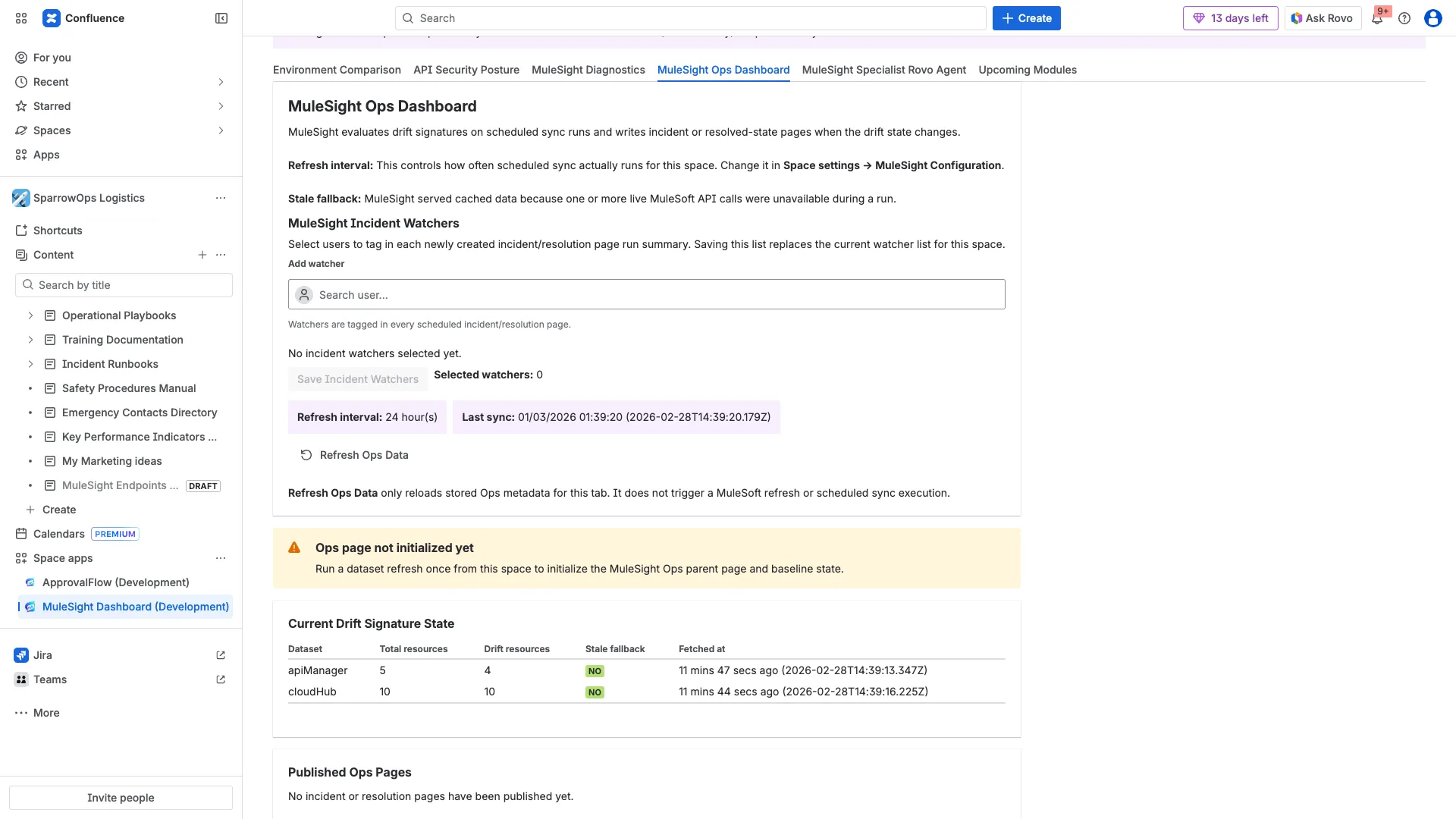
Step 3: Verify drift signature state and publishing status
Section titled “Step 3: Verify drift signature state and publishing status”Review Current Drift Signature State and then inspect Published Ops Pages.

Step 4: Refresh tab metadata when needed
Section titled “Step 4: Refresh tab metadata when needed”Use Refresh Ops Data to reload stored ops metadata.
Important Behavioral Rule
Section titled “Important Behavioral Rule”Refresh Ops Data refreshes tab metadata only. It does not run the scheduler or force a MuleSoft refresh.
Interpretation Tips
Section titled “Interpretation Tips”- If you see
Ops page not initialized yet, run a dataset refresh once and wait for scheduled processing. Published Ops Pagesmay be empty in a newly initialized space until the first incident/resolution publish event.
Video (Full)
Section titled “Video (Full)”Download full video: Ops watchers and published pages flow
Download clipped video: Ops quick clip