
Help and Support
If You Need Help Fast
Section titled “If You Need Help Fast”Collect these details before escalating:
- Confluence site URL
- affected space key
- affected tab/feature
- timeframe with timezone
- expected behavior vs actual behavior
- one screenshot or short video
Quick Triage by Symptom
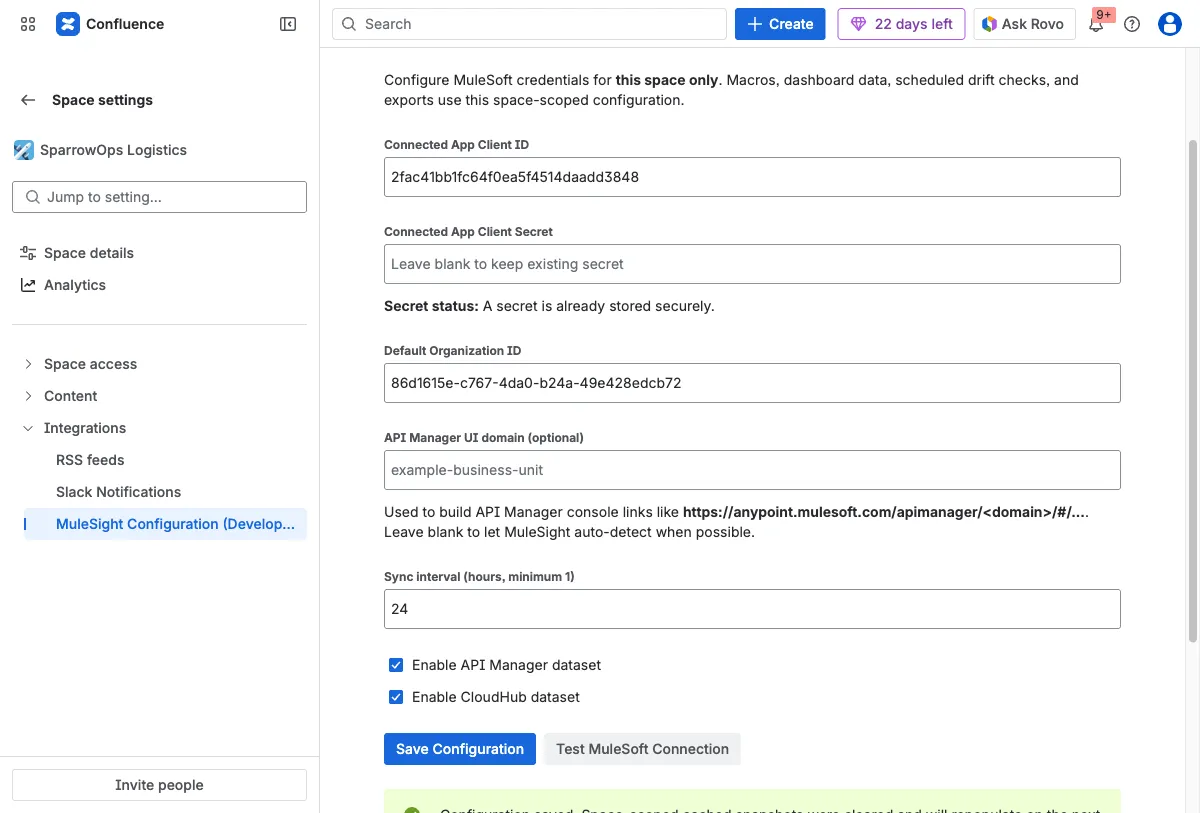
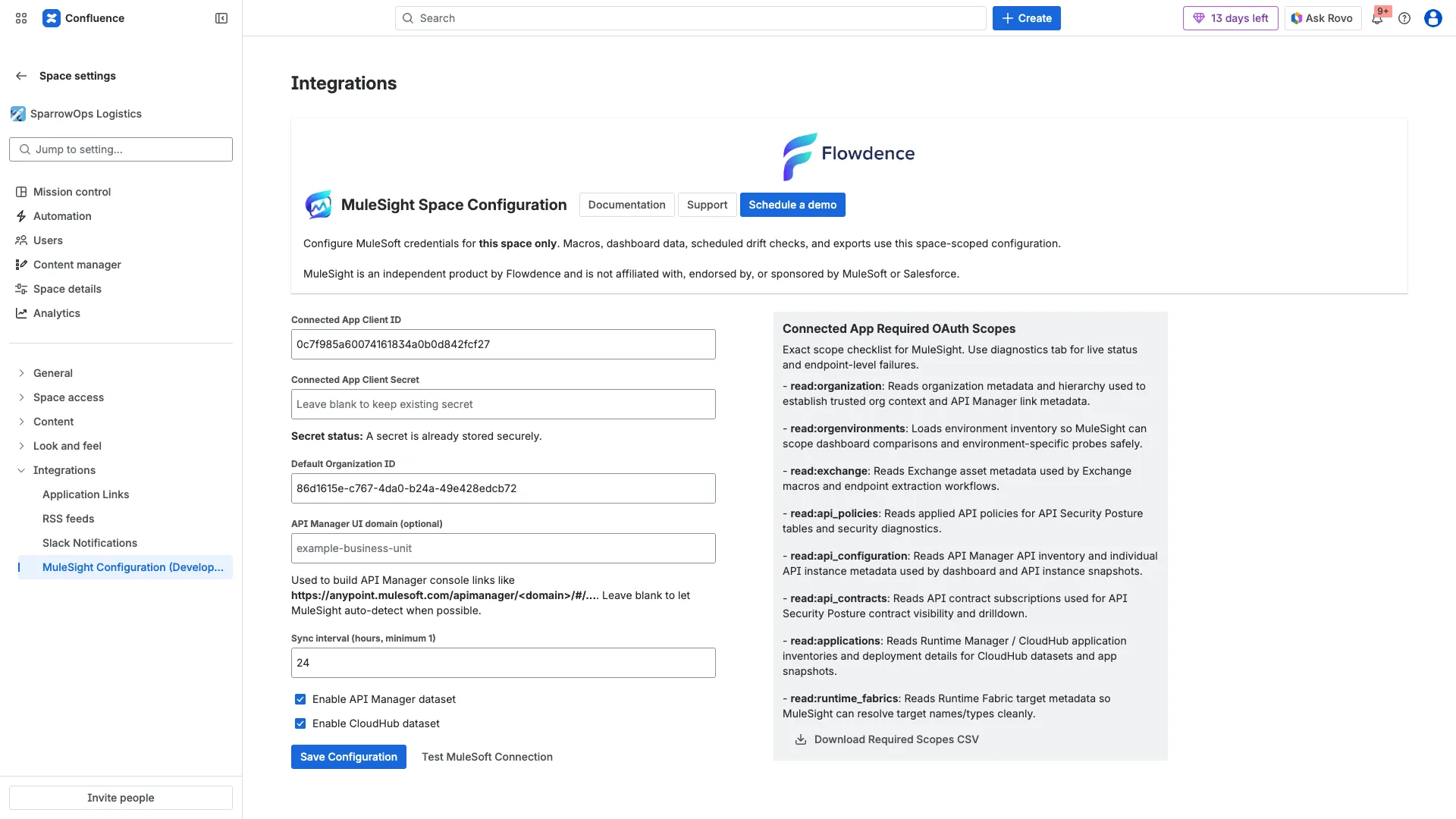
Section titled “Quick Triage by Symptom”Symptom: Connection test fails
Section titled “Symptom: Connection test fails”- Re-open
Space settings -> MuleSight Configuration. - Verify client id, client secret, and org id values.
- Re-run
Test MuleSoft Connection. - Compare required scopes against your connected app.
Evidence references:
Symptom: Dashboard data is partial or missing
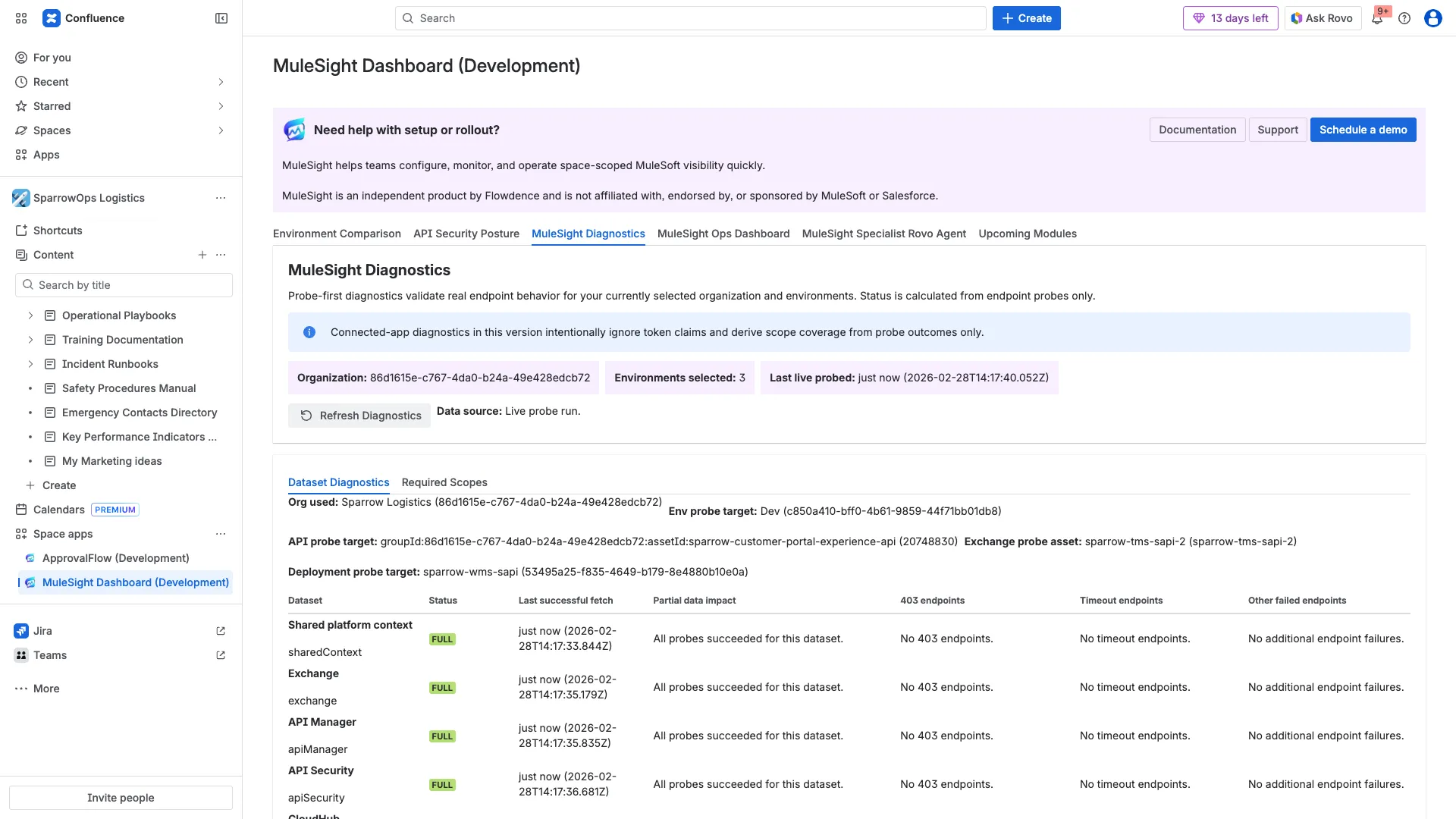
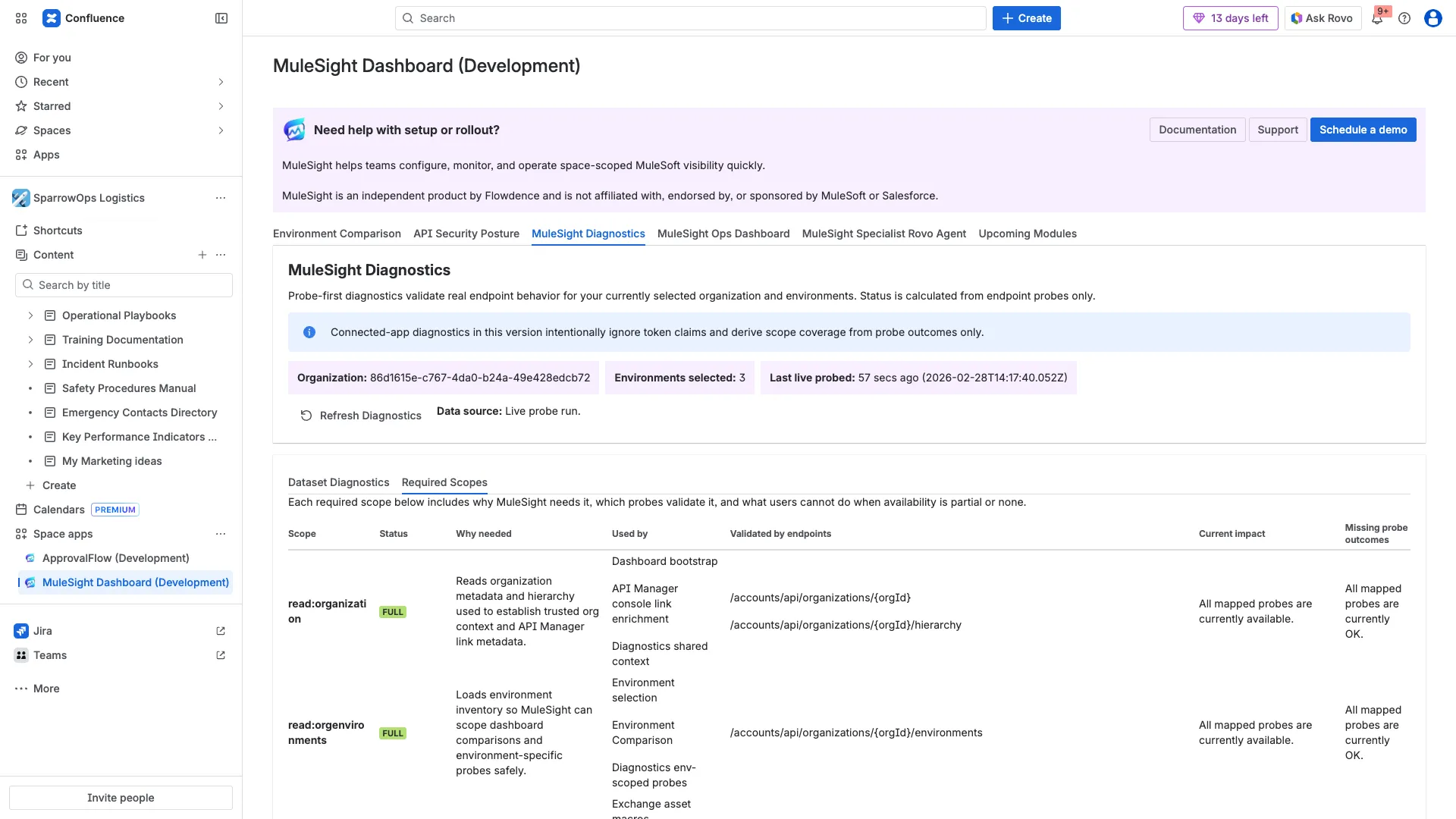
Section titled “Symptom: Dashboard data is partial or missing”- Open
MuleSight Diagnosticsand clickRefresh Diagnostics. - Check
Dataset Diagnosticsfor 403/timeout/other failed endpoint buckets. - Open
Required Scopesand identify impacted scopes.
Evidence references:
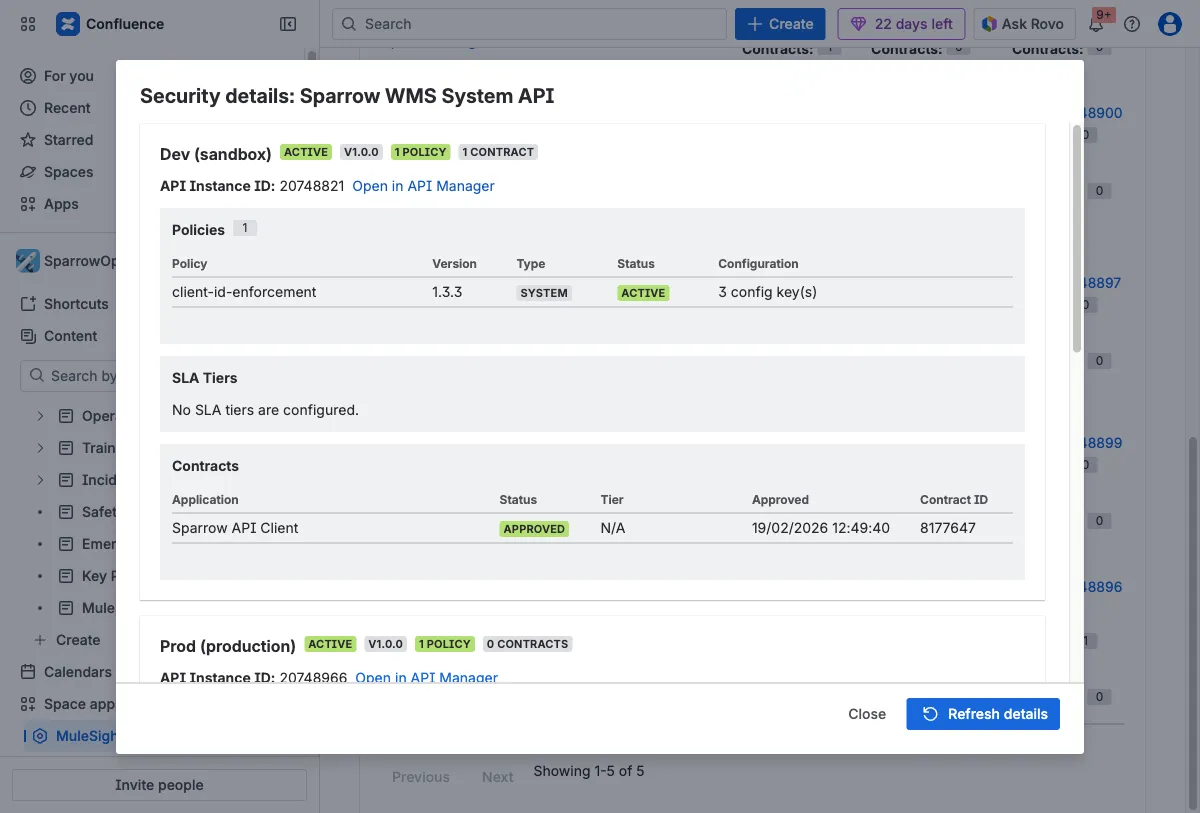
Symptom: Security details are unclear
Section titled “Symptom: Security details are unclear”- Open
API Security Posture. - Click
View securityon the API row. - Review policies, tiers, and contracts in the modal.
Evidence reference:
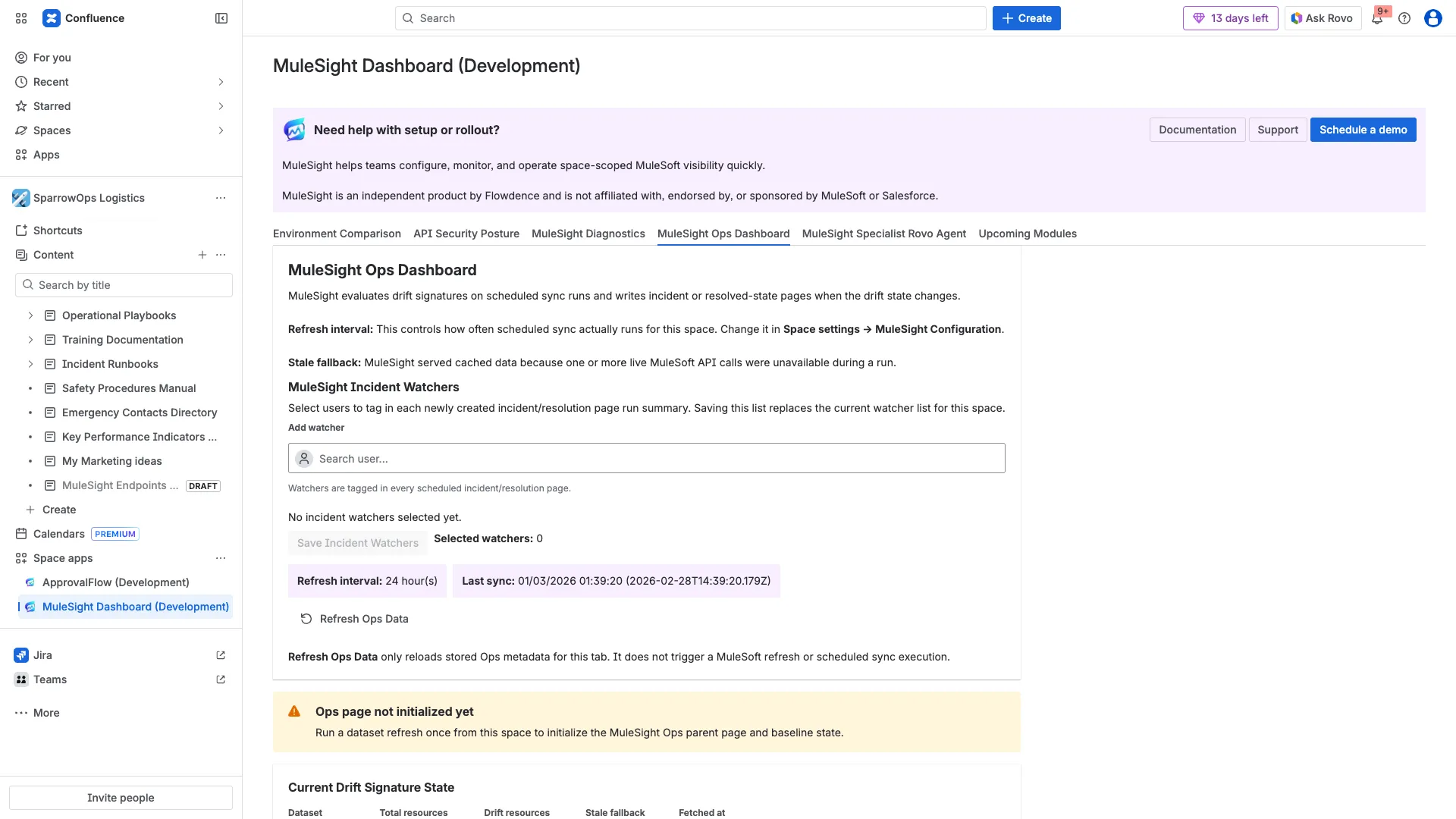
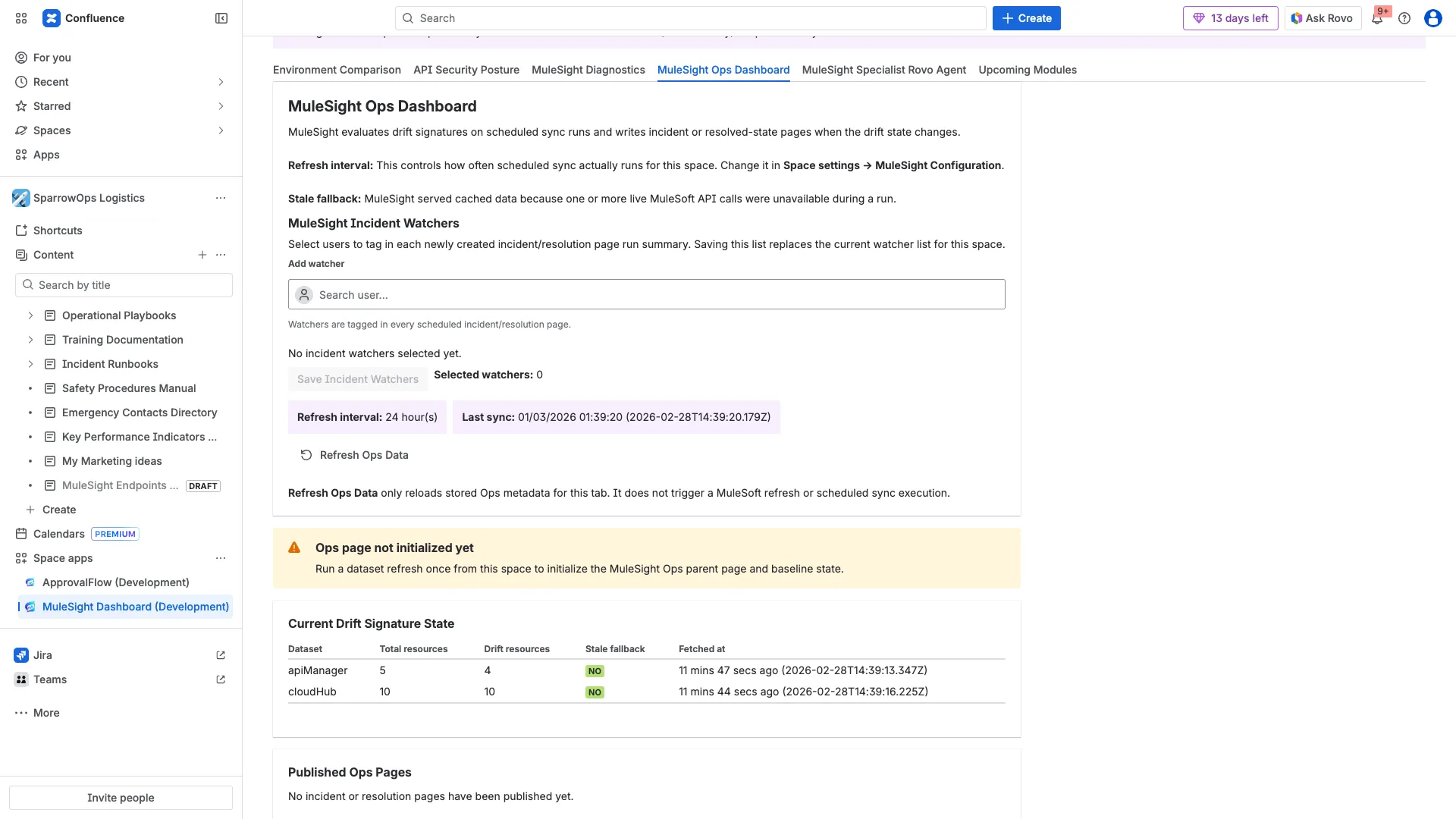
Symptom: Ops pages are not updating
Section titled “Symptom: Ops pages are not updating”- Check refresh interval and last sync in
MuleSight Ops Dashboard. - Confirm watcher settings are saved if tagging is required.
- Inspect
Published Ops Pagesand note empty-state vs linked pages. - Remember
Refresh Ops Datareloads metadata only; it does not run the scheduler.
Evidence references:
Symptom: Rovo cannot answer endpoint method/path questions
Section titled “Symptom: Rovo cannot answer endpoint method/path questions”- Open a macro page using Exchange
Endpointsdisplay option. - Refresh the Endpoints macro once to seed endpoint cache.
- Re-run the Rovo endpoint question in the same space context.
Evidence references:


Operational Rules to Remember
Section titled “Operational Rules to Remember”- Rovo behavior is space-context bound.
- Ops publishing is scheduler-driven and transition-driven.
- Diagnostics uses probe outcomes (
full|partial|none) rather than token-claim parsing. - This documentation pack covers single-space operation.