
Installation
Outcome
Section titled “Outcome”By the end of this page, you will have confirmed MuleSight is installed and reachable from the three entry points new users care about.
Prerequisites
Section titled “Prerequisites”- MuleSight is installed on your Confluence site.
- You have space admin permissions in the target space.
Walkthrough
Section titled “Walkthrough”Step 1: Confirm the global app entry
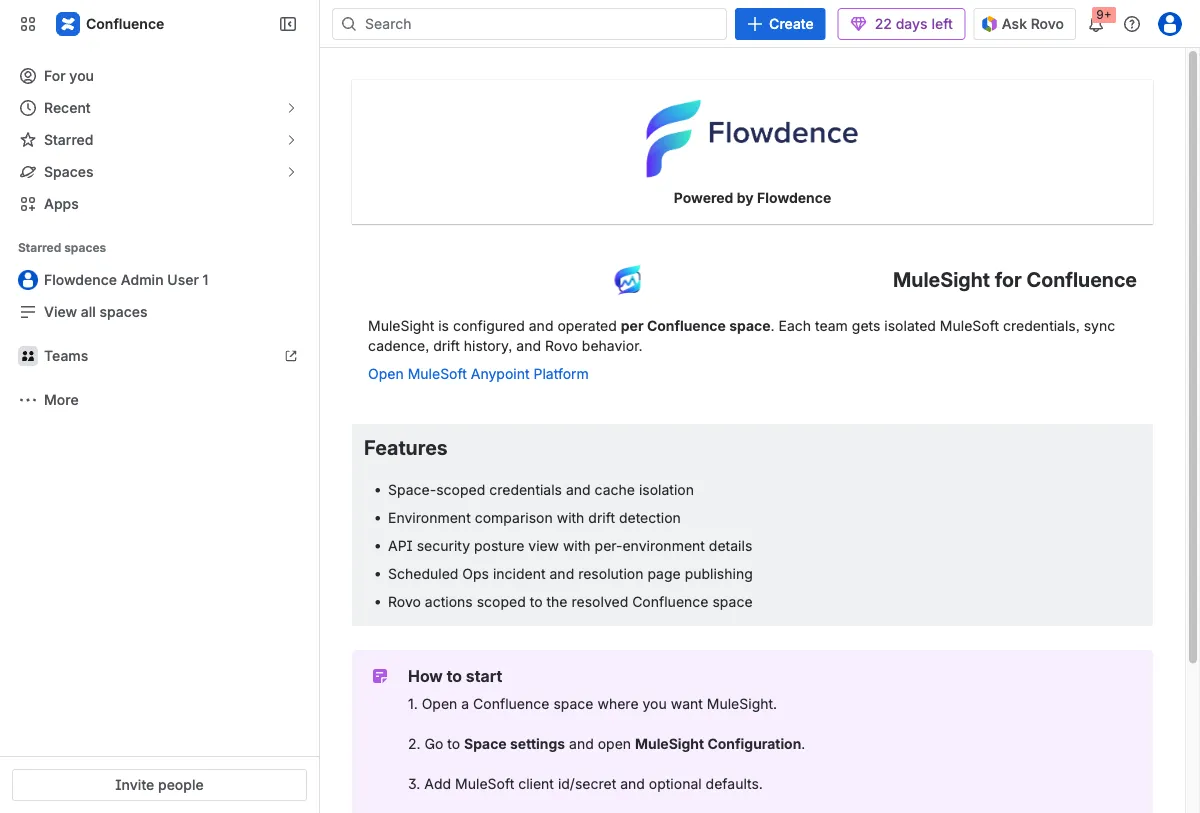
Section titled “Step 1: Confirm the global app entry”Open MuleSight from Confluence apps and verify the landing page loads.
Step 2: Confirm the space dashboard entry
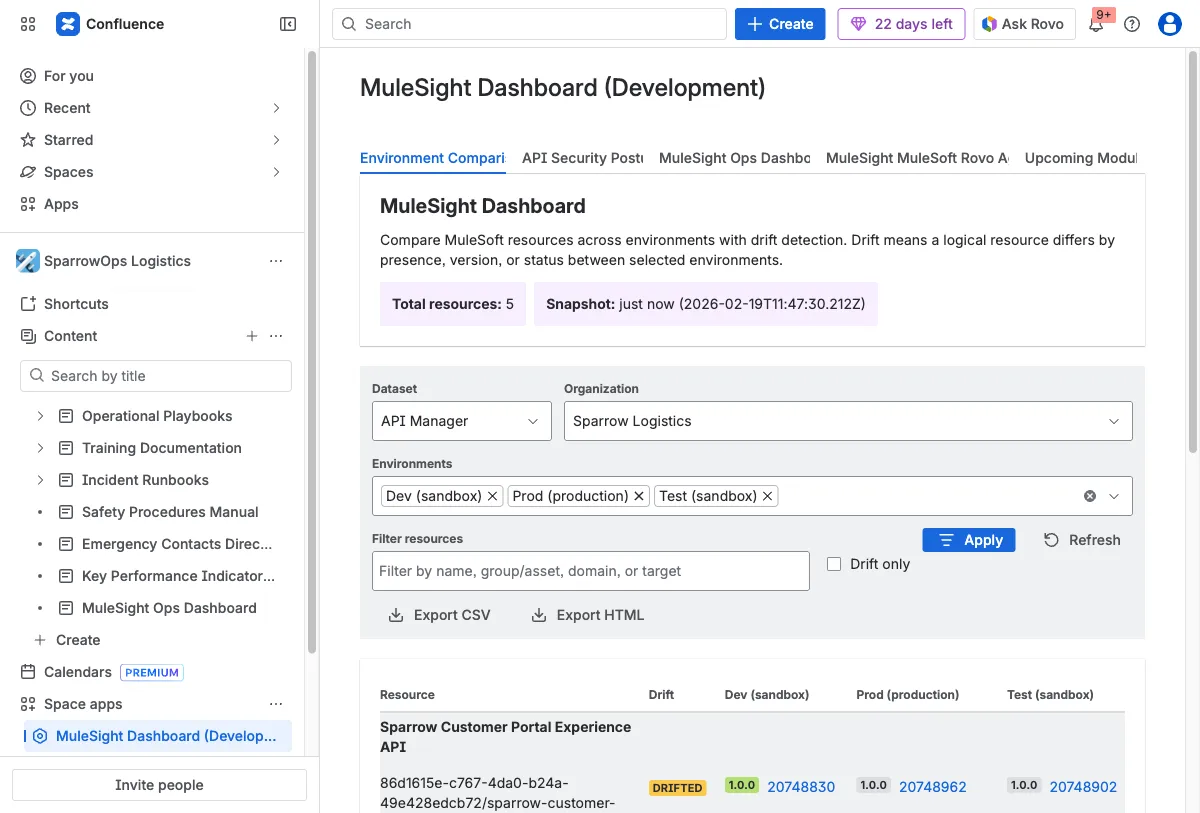
Section titled “Step 2: Confirm the space dashboard entry”Open MuleSight Dashboard in your target space and ensure the dashboard tabs render.
Step 3: Confirm the space settings entry
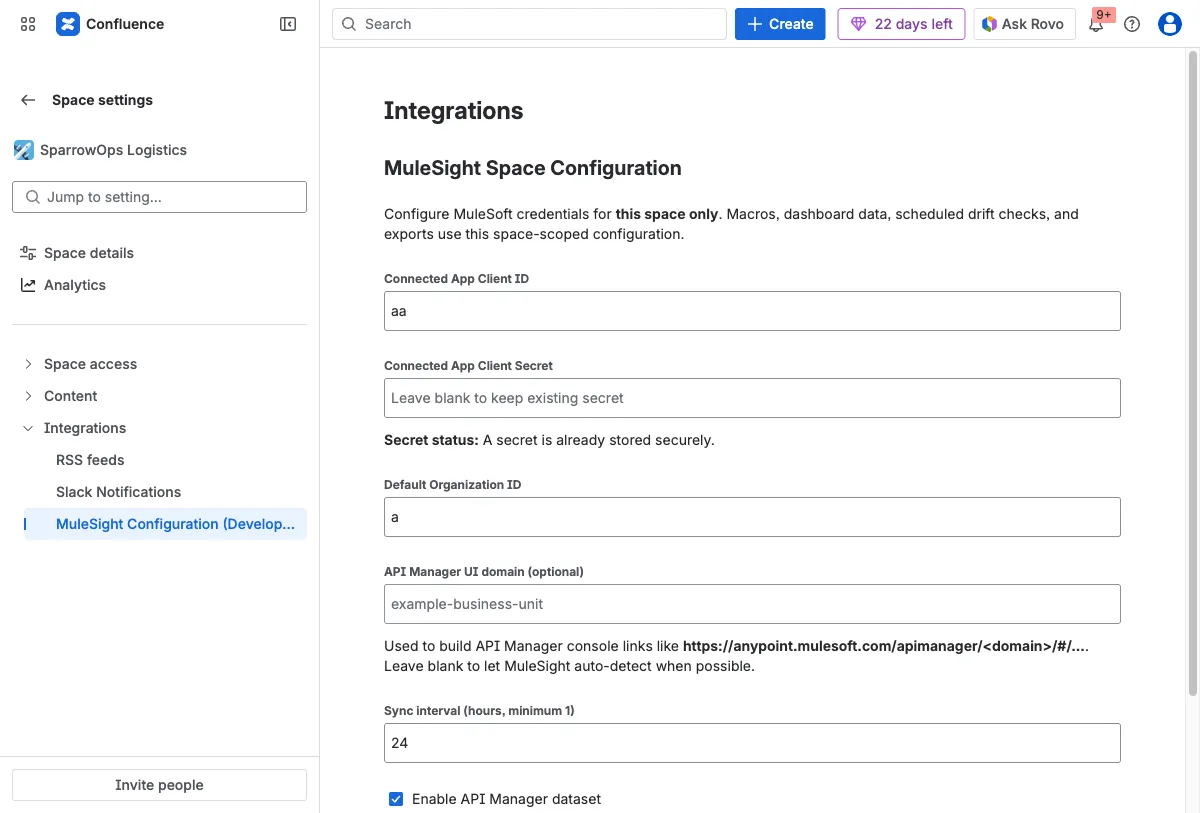
Section titled “Step 3: Confirm the space settings entry”Open Space settings -> Integrations and verify MuleSight Configuration is listed.
Installation Is Healthy When
Section titled “Installation Is Healthy When”- Global landing page loads without app errors.
- Dashboard tabs render in the space page.
- Space configuration entry is visible under Integrations.