
Tutorial: Build a MuleSight Macro Coverage Page
Scenario
Section titled “Scenario”You are creating a runbook page that should always show live MuleSoft posture instead of static screenshots.
Time Estimate
Section titled “Time Estimate”15-20 minutes
Guided Flow
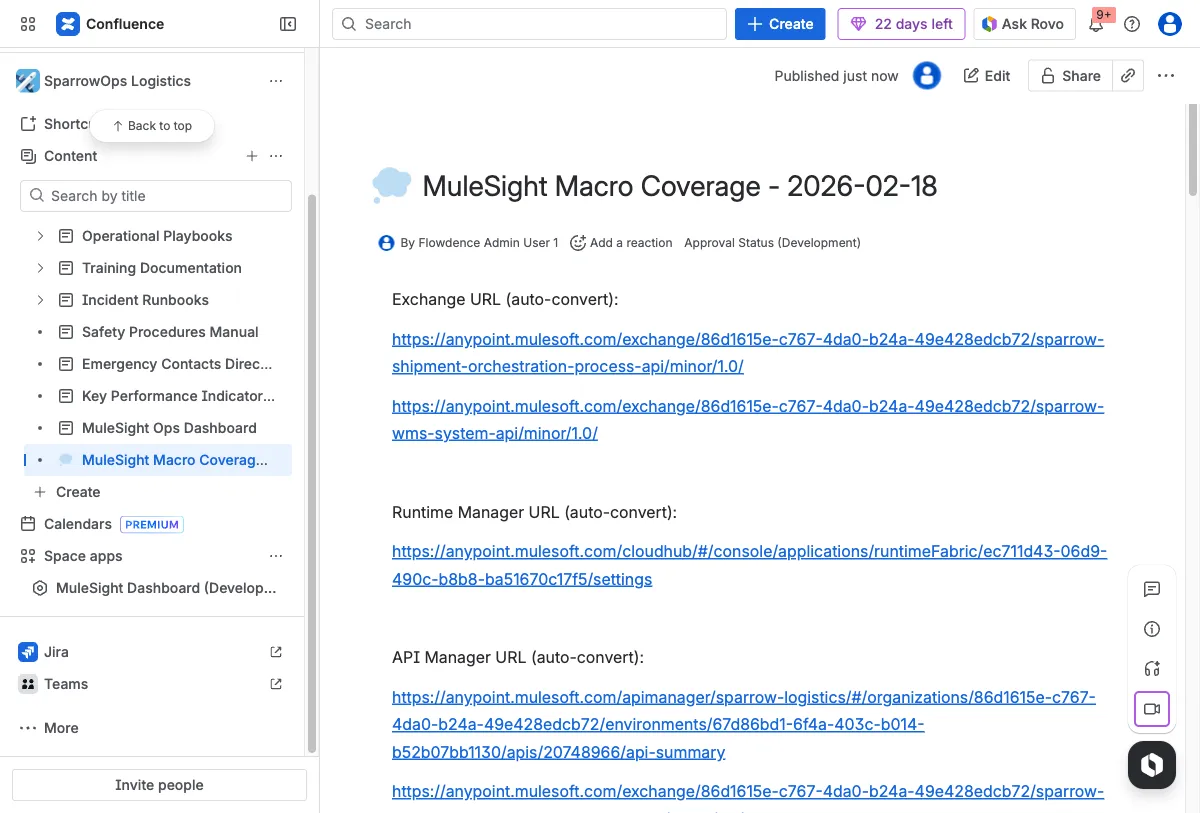
Section titled “Guided Flow”Step 1: Create the page and add source links
Section titled “Step 1: Create the page and add source links”Add one source link each for Exchange asset, Runtime Manager app, and API Manager instance.
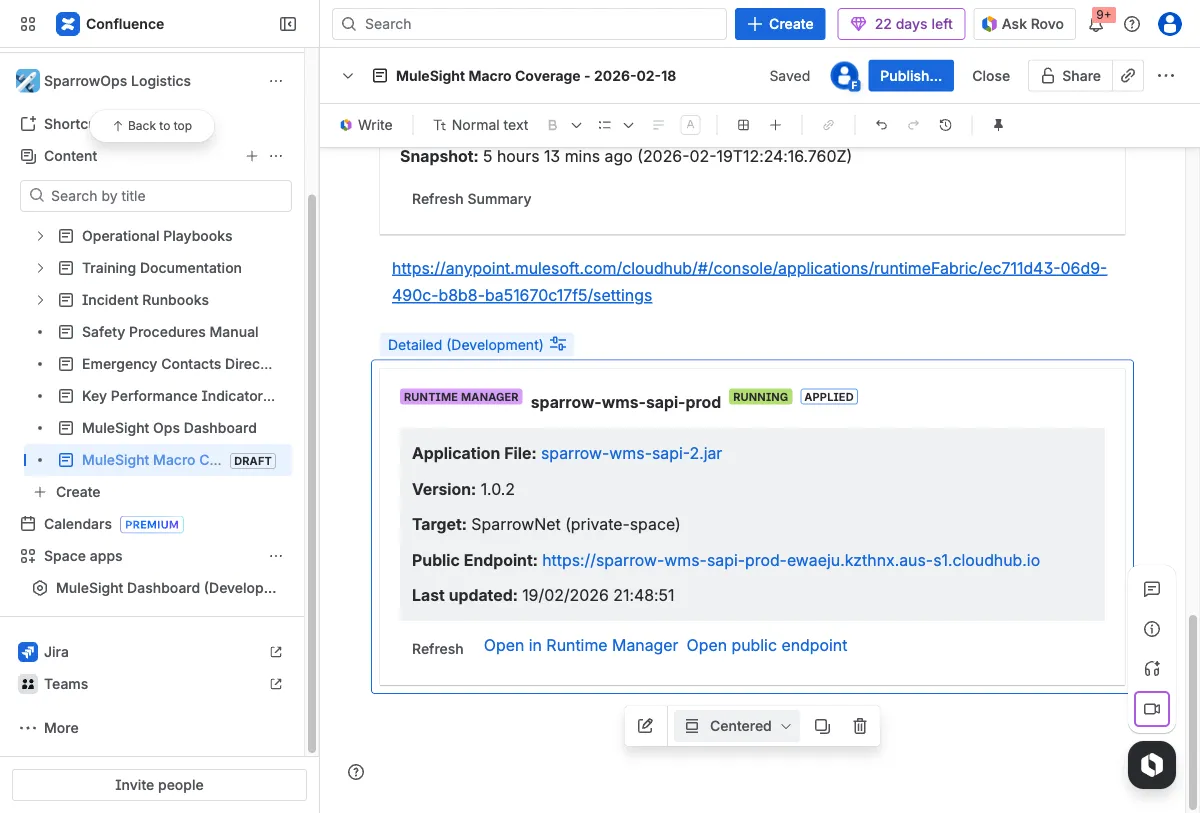
Step 2: Validate runtime and compact cards
Section titled “Step 2: Validate runtime and compact cards”Set display options so detailed and compact runtime-style views are both represented.
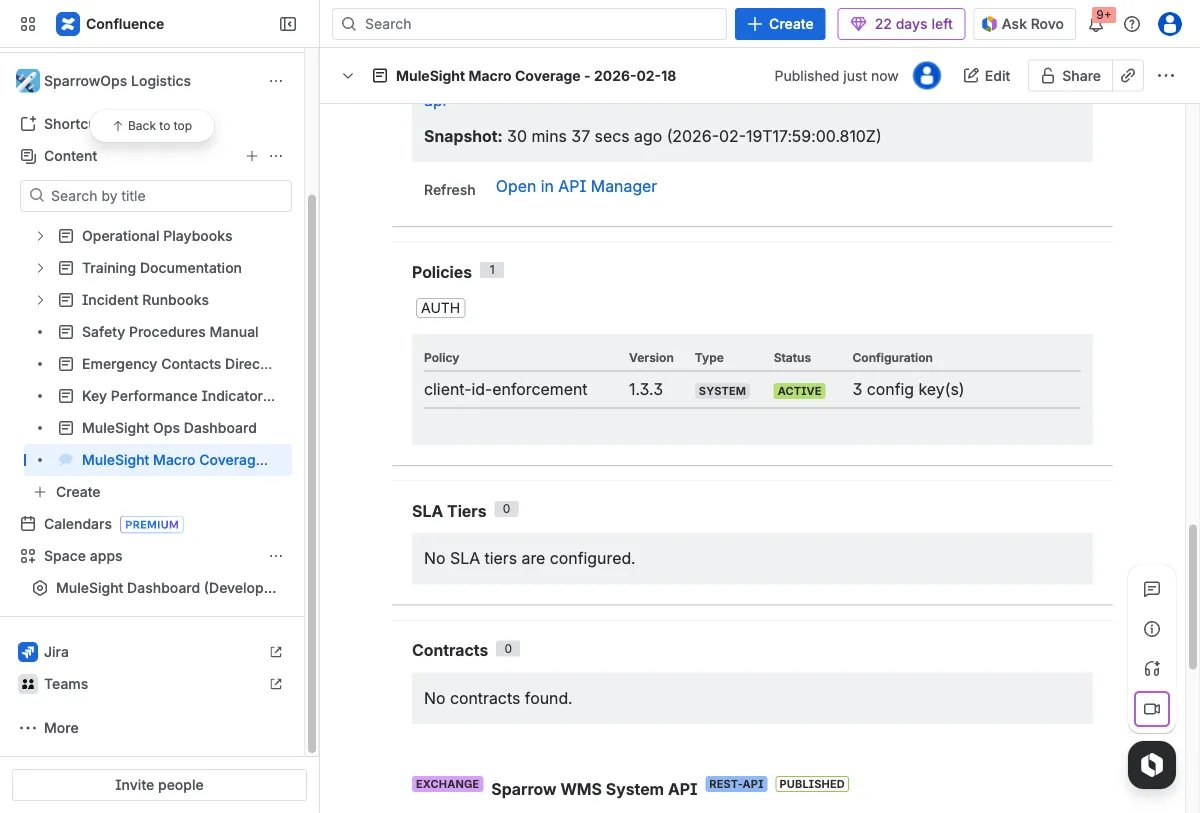
Step 3: Validate security macro sections
Section titled “Step 3: Validate security macro sections”Ensure policy, SLA tier, and contract sections are rendering.
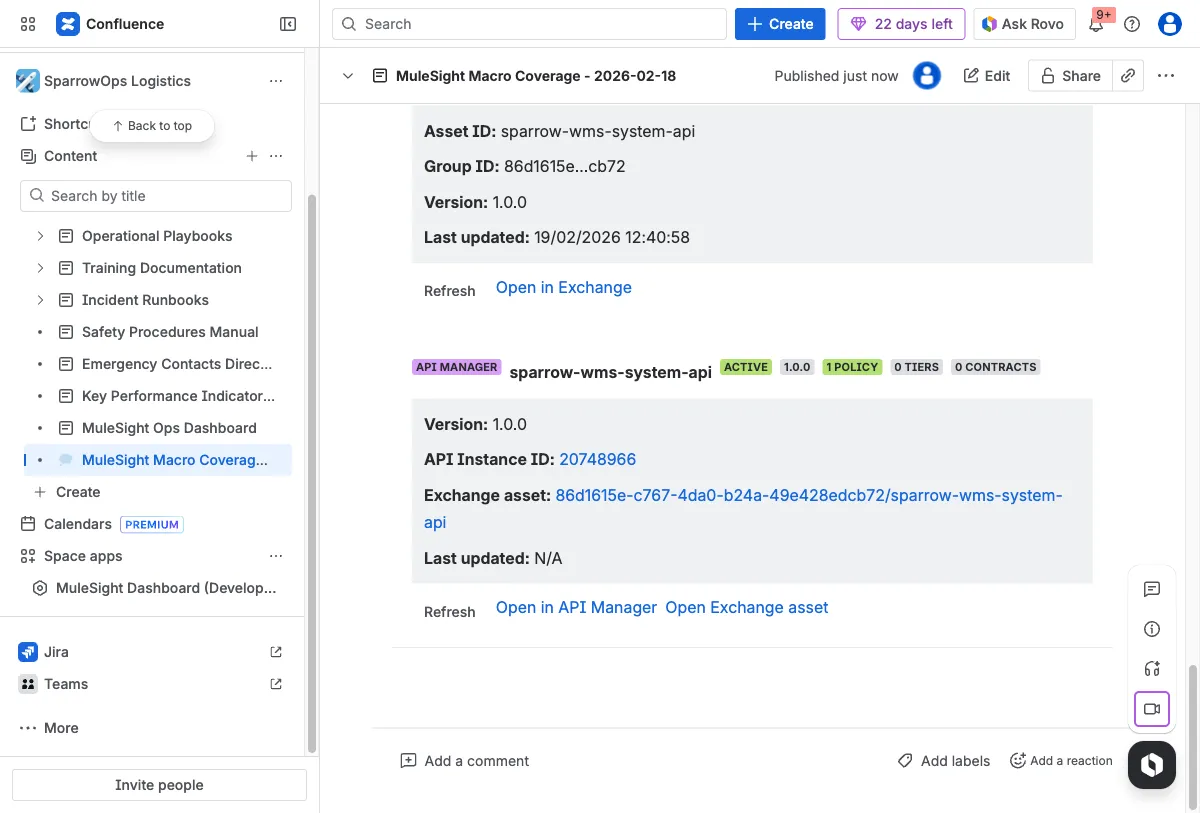
Step 4: Validate API and Exchange detailed cards
Section titled “Step 4: Validate API and Exchange detailed cards”Check status/version metadata and outbound action links.
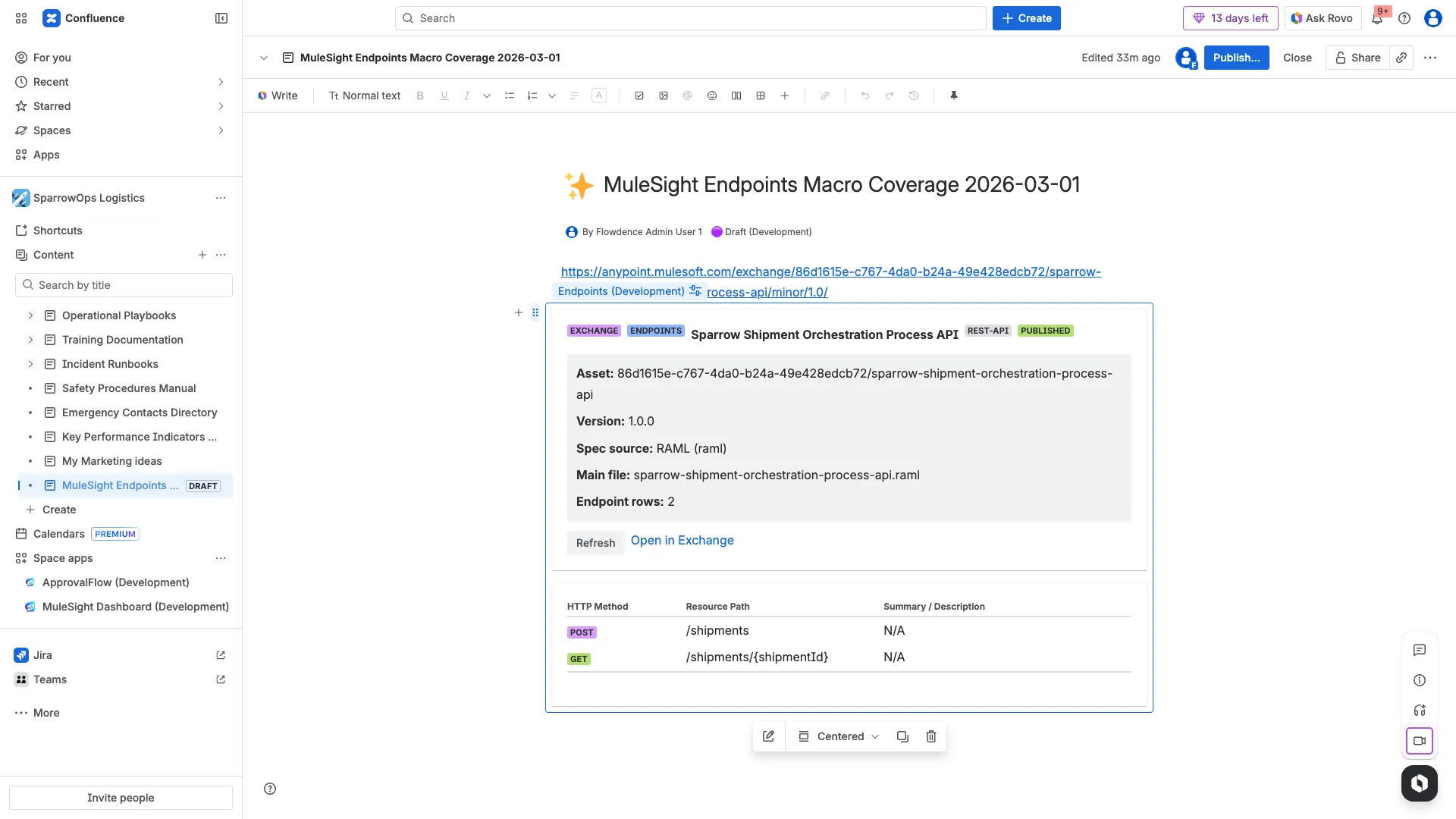
Step 5: Add Exchange Endpoints display option
Section titled “Step 5: Add Exchange Endpoints display option”Switch one Exchange macro to Endpoints display option and confirm HTTP method + path rows are visible.

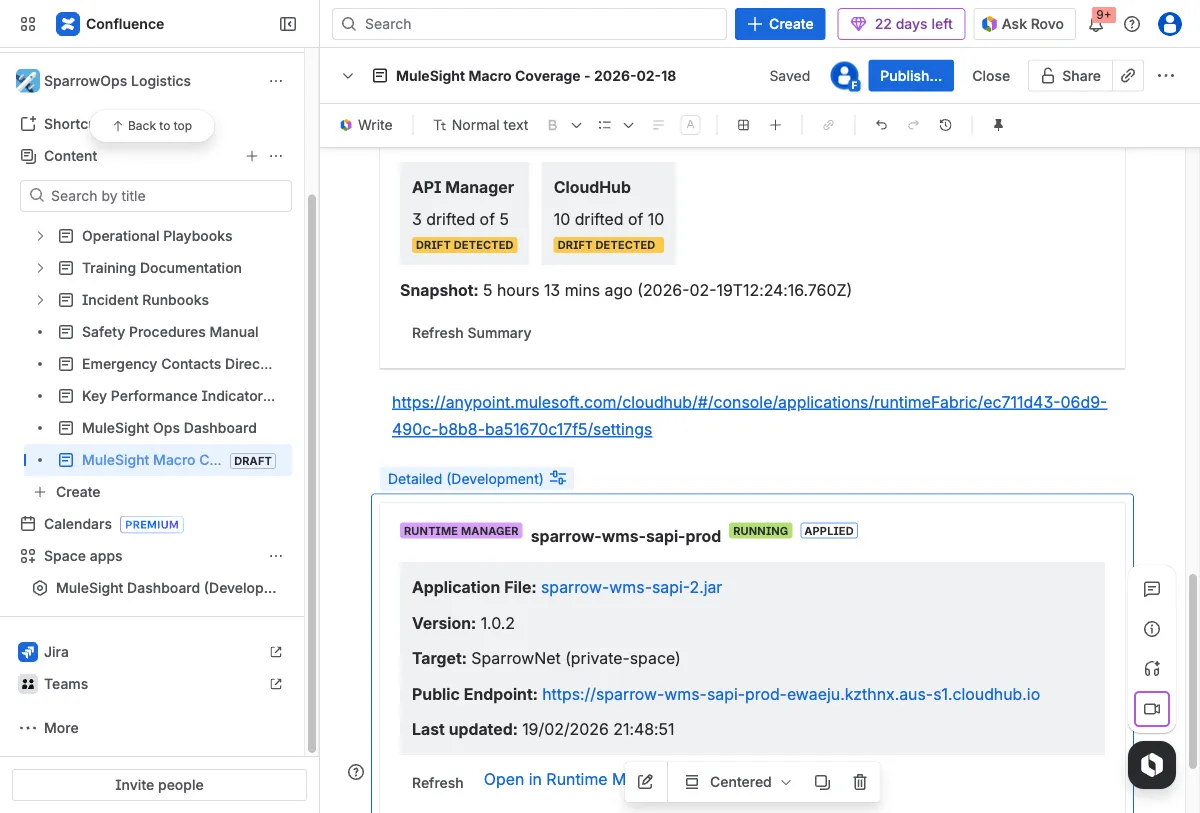
Step 6: Add and validate Environment Summary
Section titled “Step 6: Add and validate Environment Summary”Confirm drift counters and snapshot timestamp are visible.
Done Criteria
Section titled “Done Criteria”- Runtime card shows status/version/links.
- Security macro shows policies, tiers, and contracts.
- Endpoints macro shows HTTP method/path rows.
- Compact row supports fast status scanning.
- Environment Summary provides current drift snapshot.
Optional Video
Section titled “Optional Video”Download full video: Endpoints refresh flow
Download clipped video: Endpoints quick clip