
Tutorial: Investigate Drift and Export Reports
Scenario
Section titled “Scenario”A release owner asks: “What drift exists now, and what security differences should we fix first?”
Time Estimate
Section titled “Time Estimate”10-15 minutes
Guided Flow
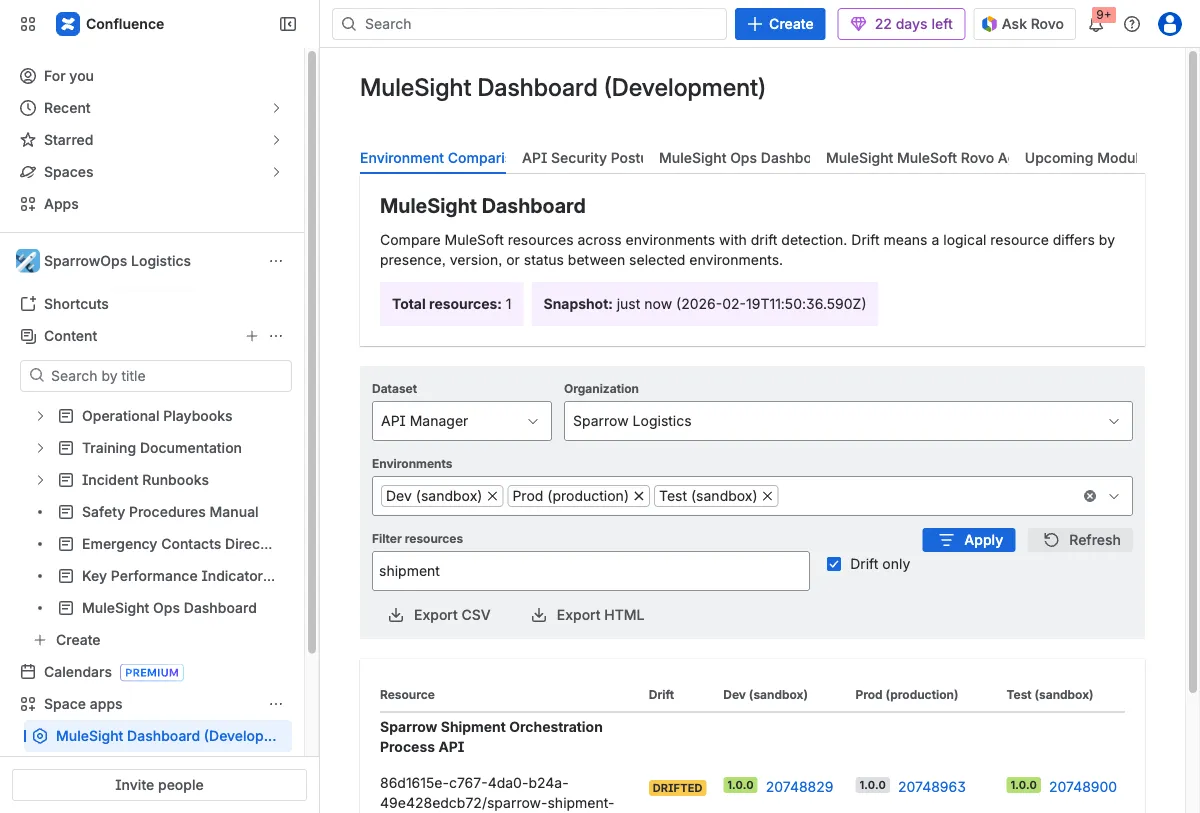
Section titled “Guided Flow”Step 1: Filter for drift in Environment Comparison
Section titled “Step 1: Filter for drift in Environment Comparison”Select dataset and environments, enable Drift only, then apply.
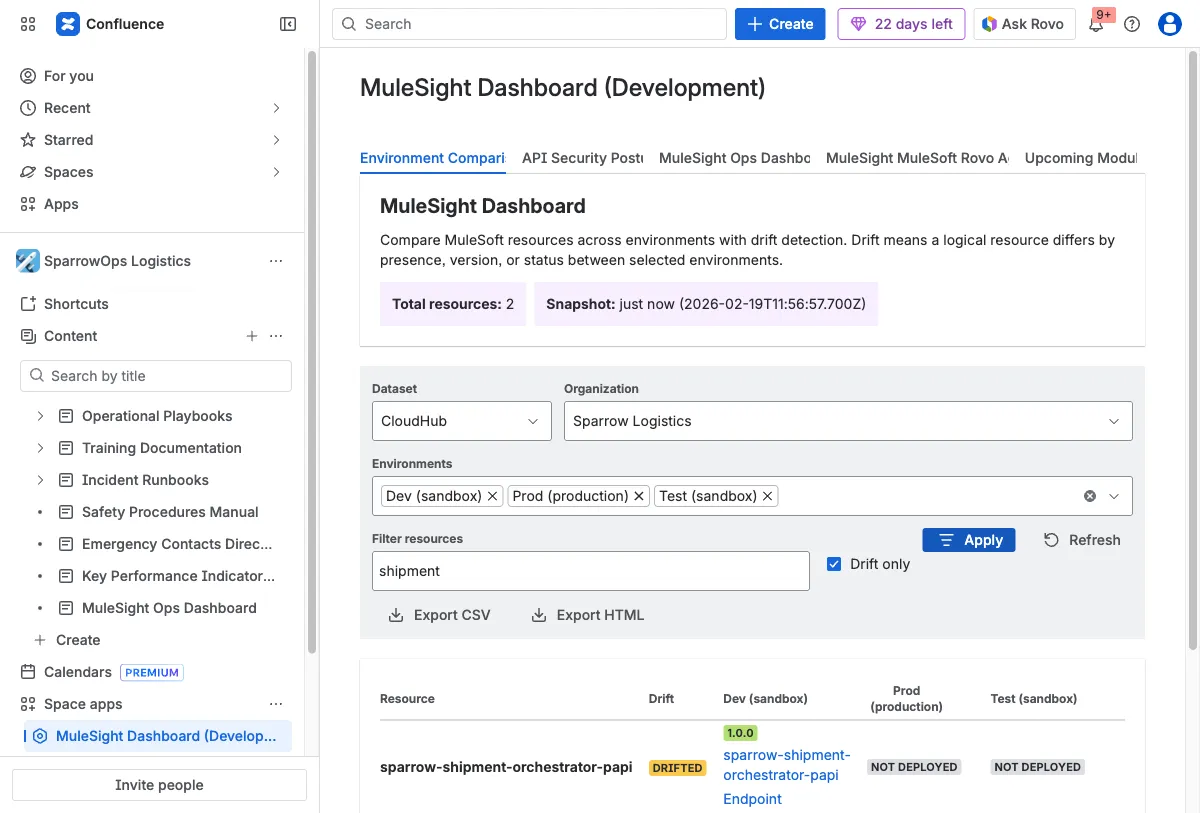
Step 2: Repeat on the second dataset
Section titled “Step 2: Repeat on the second dataset”Switch to CloudHub and verify whether drift pattern is similar or different.
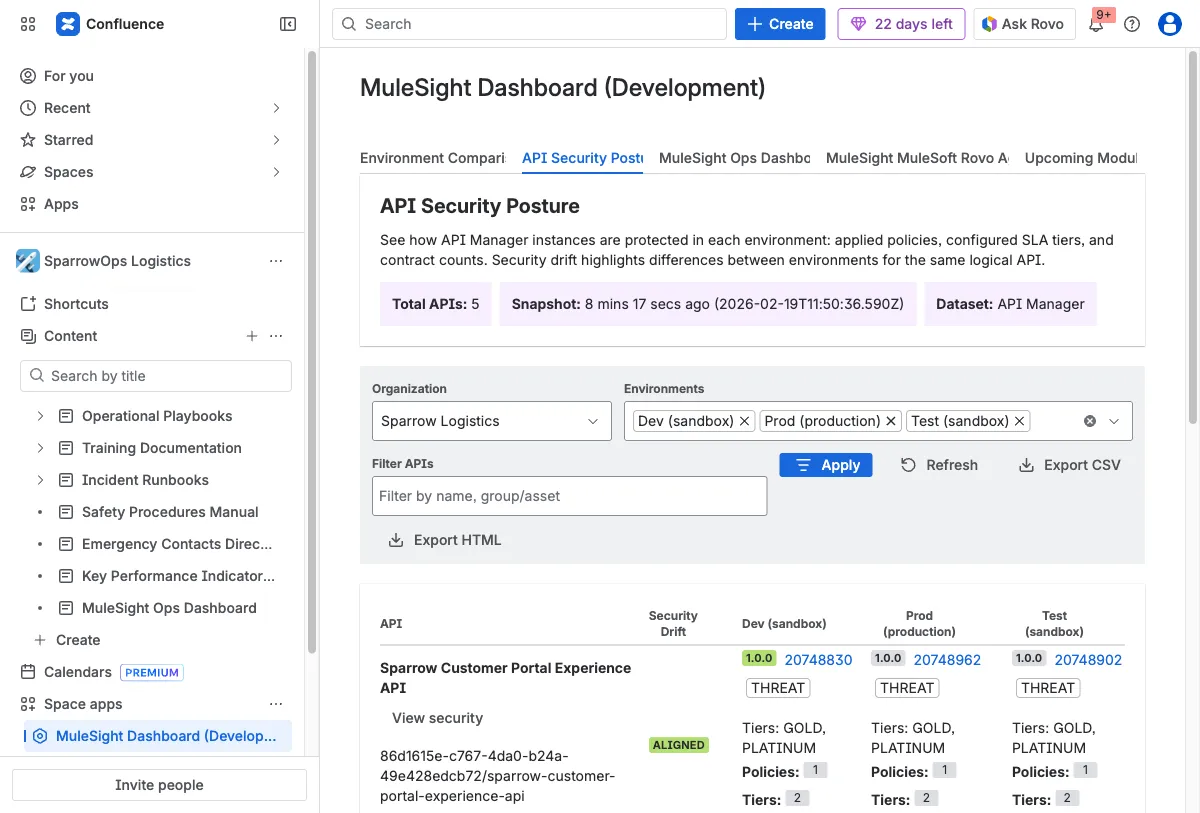
Step 3: Drill into security posture
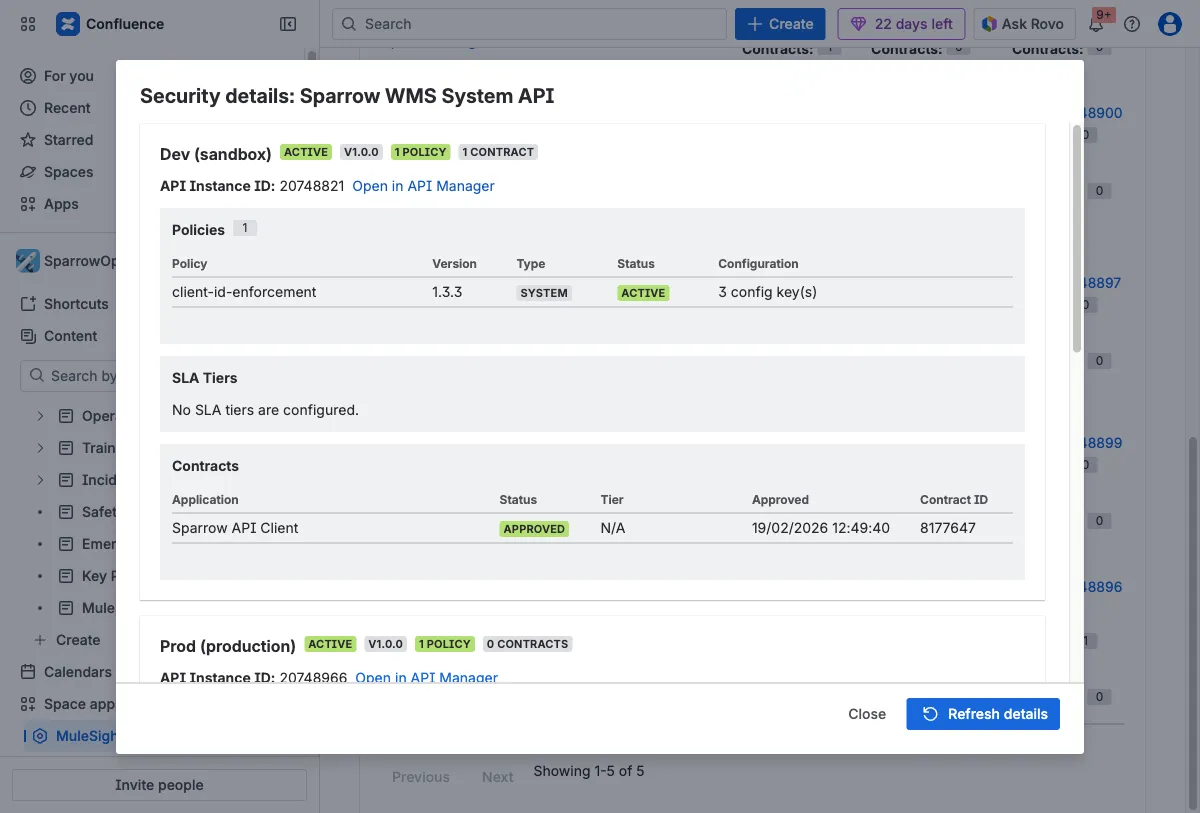
Section titled “Step 3: Drill into security posture”Open API Security Posture, then use View security on key APIs.
Step 4: Validate diagnostic confidence
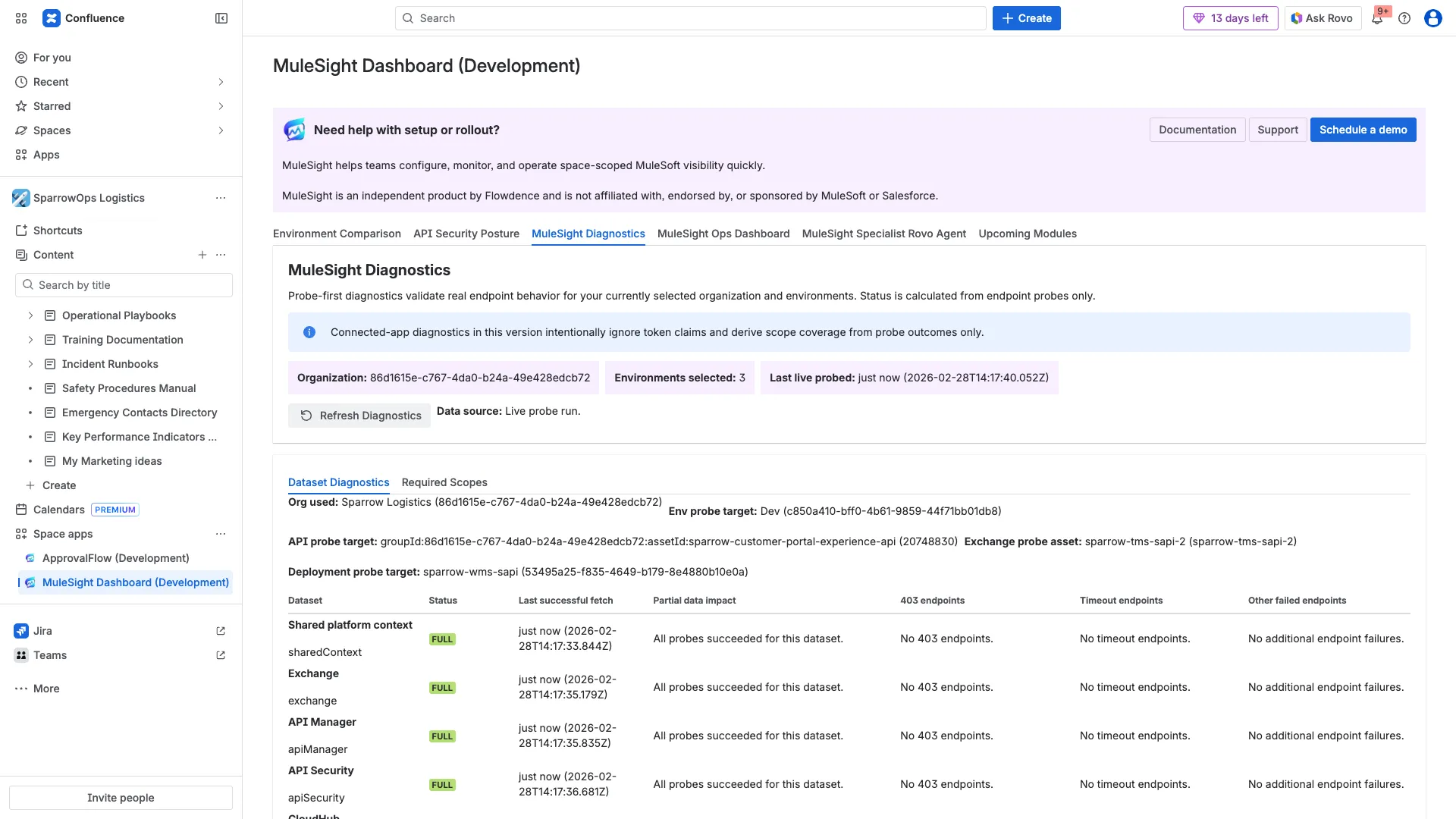
Section titled “Step 4: Validate diagnostic confidence”Open MuleSight Diagnostics and confirm probe outcomes are Full for critical datasets before final handoff.
Step 5: Capture ops context
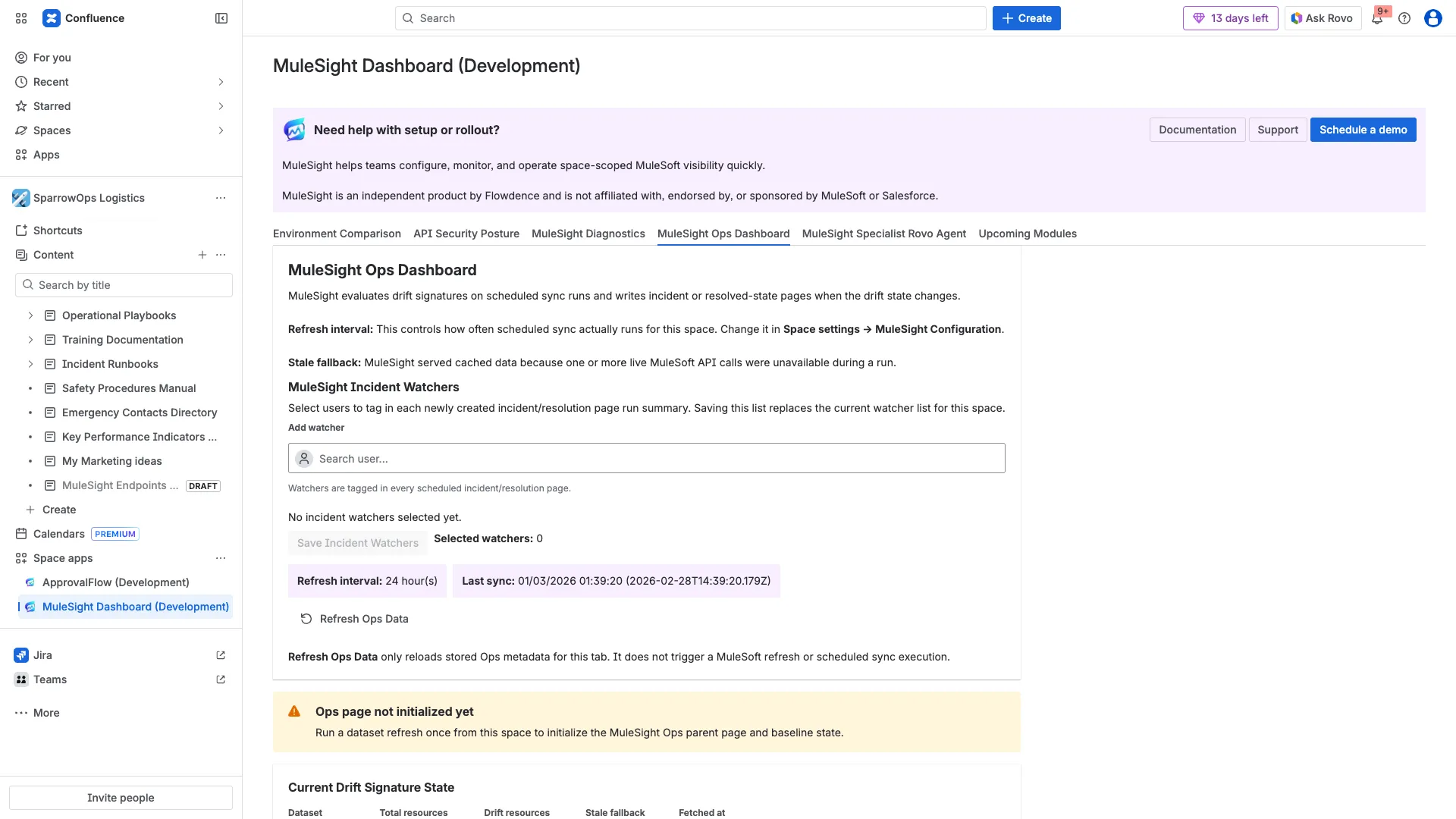
Section titled “Step 5: Capture ops context”Open MuleSight Ops Dashboard to capture sync metadata, watcher setup, and current published-page status.
Step 6: Export and share
Section titled “Step 6: Export and share”Export CSV/HTML and share with release and governance stakeholders.
Deliverables You Should Share
Section titled “Deliverables You Should Share”- CSV export for row-level drift evidence.
- HTML export for broad review.
- Security modal screenshot for API-level posture context.
- Diagnostics screenshot proving probe coverage status.
Videos
Section titled “Videos”Download video: Environment comparison filtering and export
Download video: Dataset switching workflow
Download video: Security modal and export workflow
Download full video: Diagnostics refresh and scope outcomes
Download clipped video: Diagnostics quick clip
Download full video: Ops watchers and published pages flow
Download clipped video: Ops quick clip